Products and selections · Add products
Add a product section
Create an empty slot in a room, from a template or your own name, then fill it with options for your client.
Why use it
A product section is a slot in the room that needs a decision, such as Pendant lighting over the island. It holds the options you are weighing, so your client sees them side by side and answers once, instead of replying to three separate emails.
When to use it
- Planning a room. Add every slot the room needs up front, then fill them as you source.
- Comparing options. One section, up to three options, one client decision.
- Rooms that repeat. Templates give you the usual sections for a room type in a few clicks.
For a single product that needs no comparison, add it directly.
Before you start
- Open the project and the space, then choose View all on the Products card.
Steps
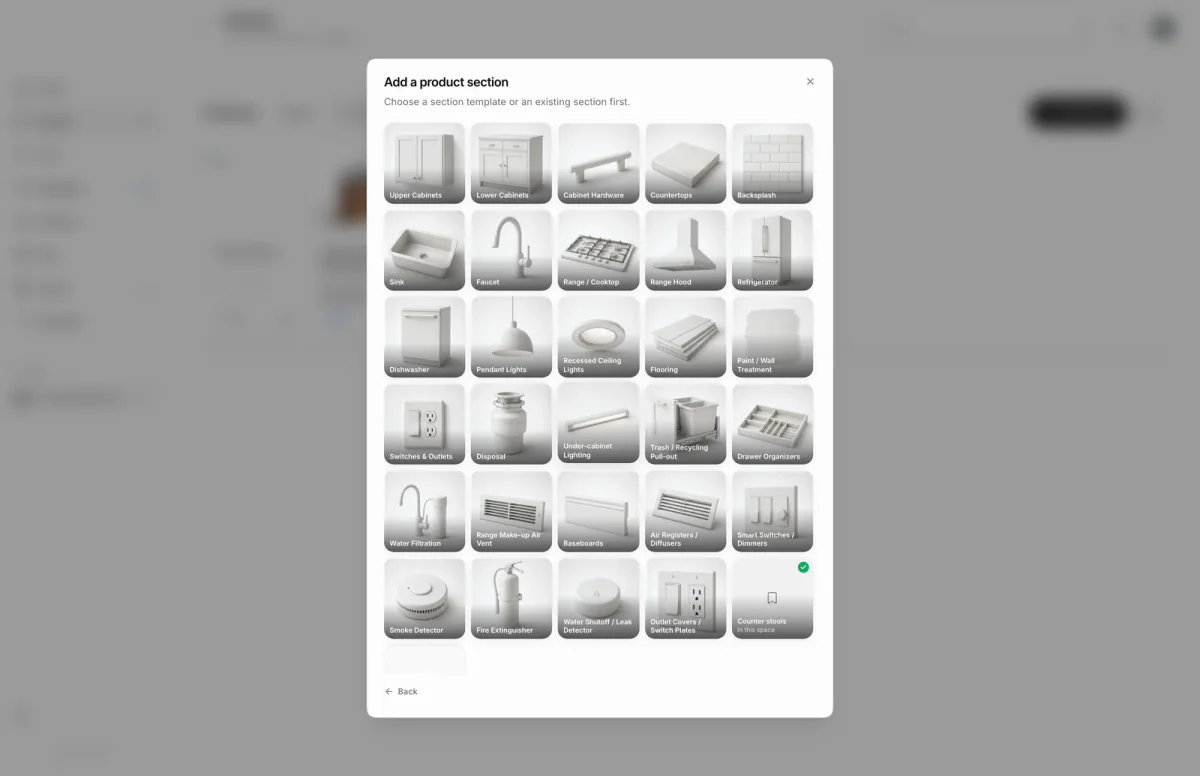
- 1Section templates
- On the room's products page, choose Add product, then Add a product section.
- Pick a section from the template grid. Sections not yet in the room come first.
- For a slot with no template, choose Custom section at the end of the grid and enter a Section name.
- Pick a Category for your section, such as Furniture for Dining table.
- Choose Add section. Then choose Go to section to start adding options, or Add another for more.
What happens next
- The new section appears on the Sections view as an empty card.
- Open it to add options: from a link, from existing products or the Library, or by hand.
- When it has one to three options, send it to your client from the section page.
Limits
Limits
- Sections already sent for approval are locked in the chooser.
- Section name is required, up to 200 characters.
Questions
Why is a section tile locked?
It is already with your client for approval, or decided. Open the section from the Sections view to manage it.
Can I reuse a set of sections in another room?
Yes. Choose More product actions, then Save as template. See section templates.
Next
Add options to a sectionProducts and selectionsProduct sections and optionsProducts and selectionsProducts in a spaceProducts and selections
Was this page helpful?
Thanks, noted.