Home dashboard
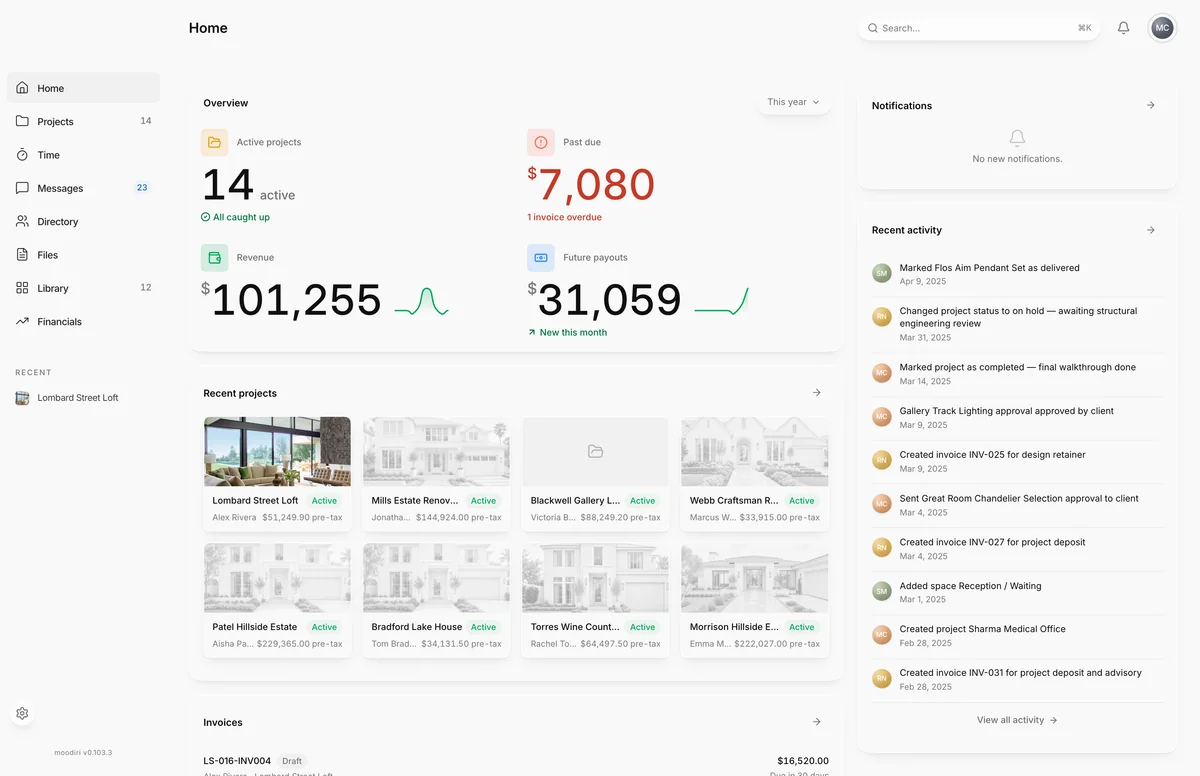
Home shows your firm at a glance: active projects, past-due money, revenue and future payouts, plus recent projects, invoices, files and activity.
- 1Overview
- 2Recent projects
Home is the first page you see after signing in. It answers three questions at a glance: what needs a decision, what money is late, and what changed since you last looked. Every card links through to the full list, so you can start your day here and jump straight into the work.
What you see here
- Overview: four numbers for the period you pick (see below).
- Recent projects: up to eight project cards, each with its status, client and current client total.
- Invoices: the latest five invoices with status, client, project, amount and due date.
- Documents: the latest five files across your projects.
- Notifications: your newest notifications. Show all opens Notifications.
- Recent activity: the latest ten changes across the firm. It stays in view while you scroll.
Overview metrics and period picker
- 1Overview
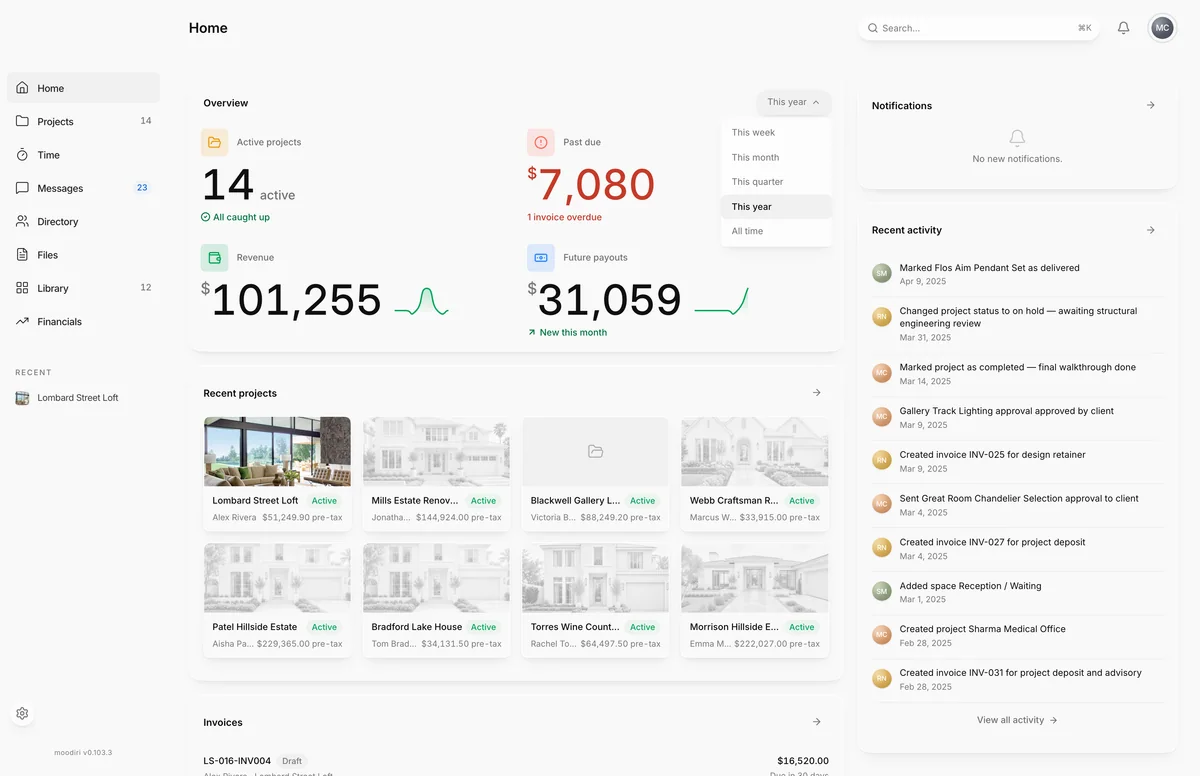
The Overview card shows:
- Active projects: how many of your projects are active.
- Past due: the amount still owed on invoices past their due date, with how many are overdue, or All invoices current.
- Revenue: paid invoice totals in the period, with a comparison to last month.
- Future payouts: the balance still owed on sent invoices that aren't paid yet.
The numbers cover the period you pick. Choose the period button at the top right of the card to change it: This week, This month, This quarter, This year (the default) or All time. A new firm with nothing to show yet sees No activity yet. Create a project to get started.
Recent projects, Invoices, Documents, Notifications, Recent activity cards
Choose any item to open it. The arrow button at the top of each card (View all) opens the full list: Projects list, Invoices list, Files and Activity log.
To upload a file quickly, drag it onto the Documents card. It's added to Files without a project, and you can file it under a project afterwards. See Upload a file.
Empty state: create your first project
A new firm with no projects and no numbers sees Create your first project instead of the cards. Choose Create project to open the project wizard. Creating projects needs the Owner or an Admin. See Create a project.
Limits
- Recent projects shows up to eight projects, Invoices and Documents the latest five each, and Recent activity the latest ten entries.
- The period picker changes only the Overview numbers, not the other cards.
Questions
What counts as Future payouts?
The balance still owed on invoices you've sent that aren't paid yet: sent, viewed and overdue invoices, less anything already paid or applied.
Why does Revenue differ from what I see in my bank?
Revenue counts paid invoice totals in the period, not deposits. Card and bank payouts arrive on their own schedule. See Financials report.