Library product page
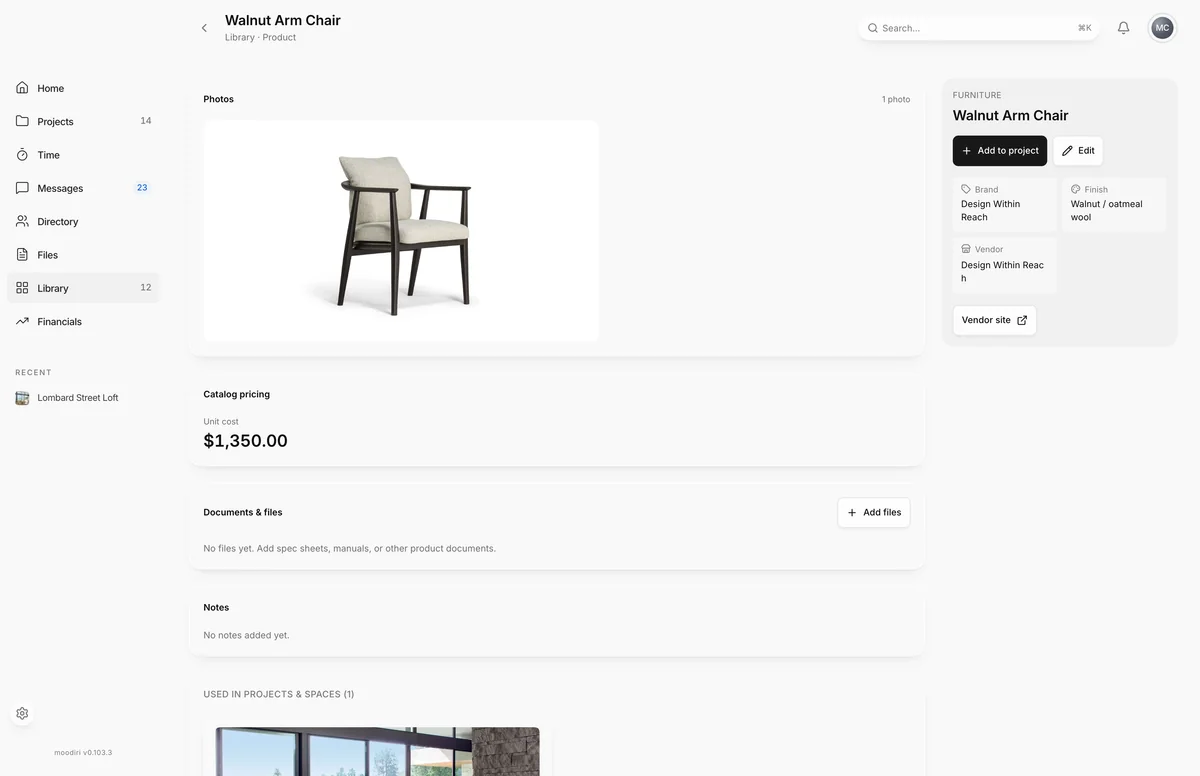
The full record of a Library product: photos, catalog cost, documents, notes and every project and space that uses it.
- 1Add to project
- 2Edit
A Library product page is the full record of one reusable product. It brings together what you know about it (brand, model, finish, sizes, vendor, cost) with its files and a list of where it has been used, so you can decide quickly whether it fits the next project.
To open it, choose a product card in the Library, then choose Open product full screen in its details. Construction details, documents and other kinds open in the details view only.
What you see here
- Product details: the category, name, Brand, Model, Finish, Dimensions, Packed dimensions and Vendor, plus links to the Product page and Vendor site when saved. Tags show underneath.
- Photos: every photo saved for the product.
- Catalog pricing: the saved Unit cost.
- Notes: anything your team wrote about it.
- Add to project and Edit, for everyone on your team. See Add a library product to a project and Edit a library item.
Where it's used
Used in projects & spaces lists each project that uses the product, with its spaces. Choose a project to open it. A product appears here once it has been added to a space from the Library; until then you see Not specified in any projects yet.
Documents and files
- 1Documents & files
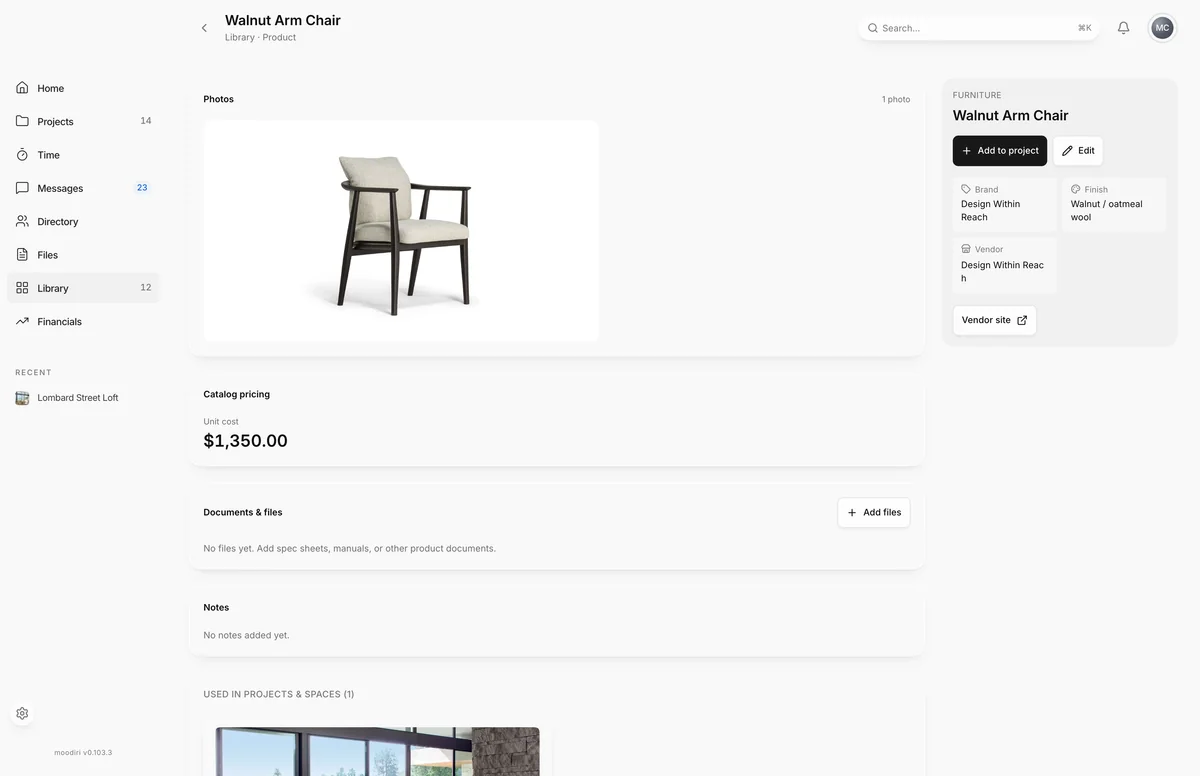
Documents & files keeps spec sheets, manuals and other files with the product, so they travel to every project. Choose Add files to upload one or more files. Choose a file's name to download it. When the product has a spec sheet link, it appears at the top as Spec sheet.
Limits
- Edit and Add to project show to everyone on your team: the owner, admins and members.
- Each file can be up to 100 MB.
- A supplemental product shows Family member only instead of Add to project. It can only be added as part of a library family.
Questions
How do I get to this page?
In the Library, open a product's card, then choose the expand icon (Open product full screen) at the top of its details.
Does editing here change products already in my projects?
No. Adding from the Library creates a new product in the space. Changes to the Library record do not rewrite products already placed in projects.