Intake and brief question flows
Question flows are short, branching questionnaires your clients answer in the portal, such as a brief for each room.
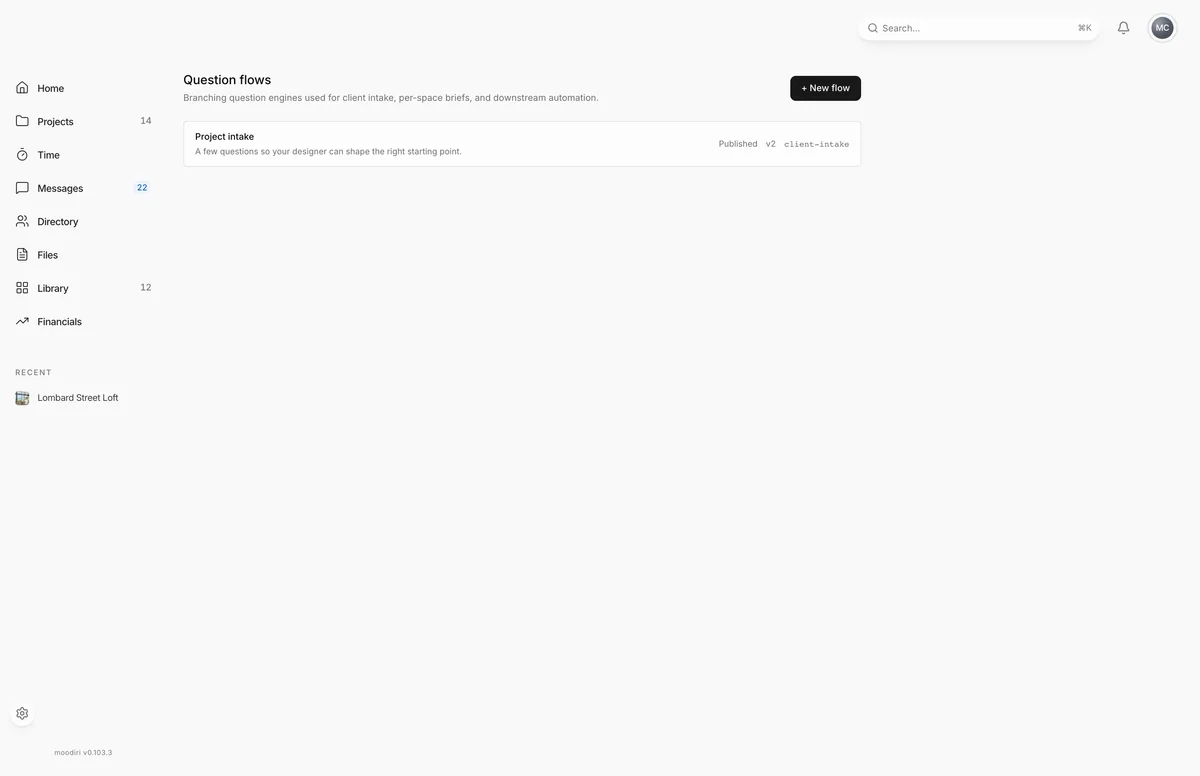
- 1Question flows
- 2New flow
A question flow is a set of questions your client answers in the portal, in order, with branches that skip what does not apply. Use one as a brief for a room: how the space is used, who uses it, what has to stay, the budget. The answers arrive with the space, not scattered across emails.
To open your flows, open a space, choose its Brief tab, and choose Create your first flow (shown while you have no published flows). The Question flows page lists every flow with its status and version. Choose + New flow to start one, or a flow's name to open it.
How it works
- Build a flow in the builder: add questions, choose their types, and connect them with branches. See Create a question flow.
- Publish it when it is ready. Publishing locks the questions.
- Attach a published flow to a space's Brief tab. Your client answers it in the portal. See Publish and attach a question flow.
- Read the answers on the space's brief as they come in.
Statuses
- Draft: still being built. Only drafts can be changed.
- Published: ready to attach to spaces. The questions are read only.
- Archived: no longer in use.
Project intake
Every project also has a client intake that your client answers in the portal. It is set up for each project automatically; you do not attach flows to projects. See Project intake for what your client sees.
Limits
- New flows start as Untitled flow, in draft.
- Only published flows can be attached to a space.
- Publishing makes a flow's questions read only.
Questions
Do I have to build the project intake myself?
No. Each project gets its own client intake automatically. Flows you build are for space briefs.
Can I edit a flow after publishing it?
No. Publishing locks the questions, so answers always match the questions the client saw. To change a published flow, create a new one.