Space approvals
See every approval request for one room, filter them by stage, and start a new request with the room already filled in.
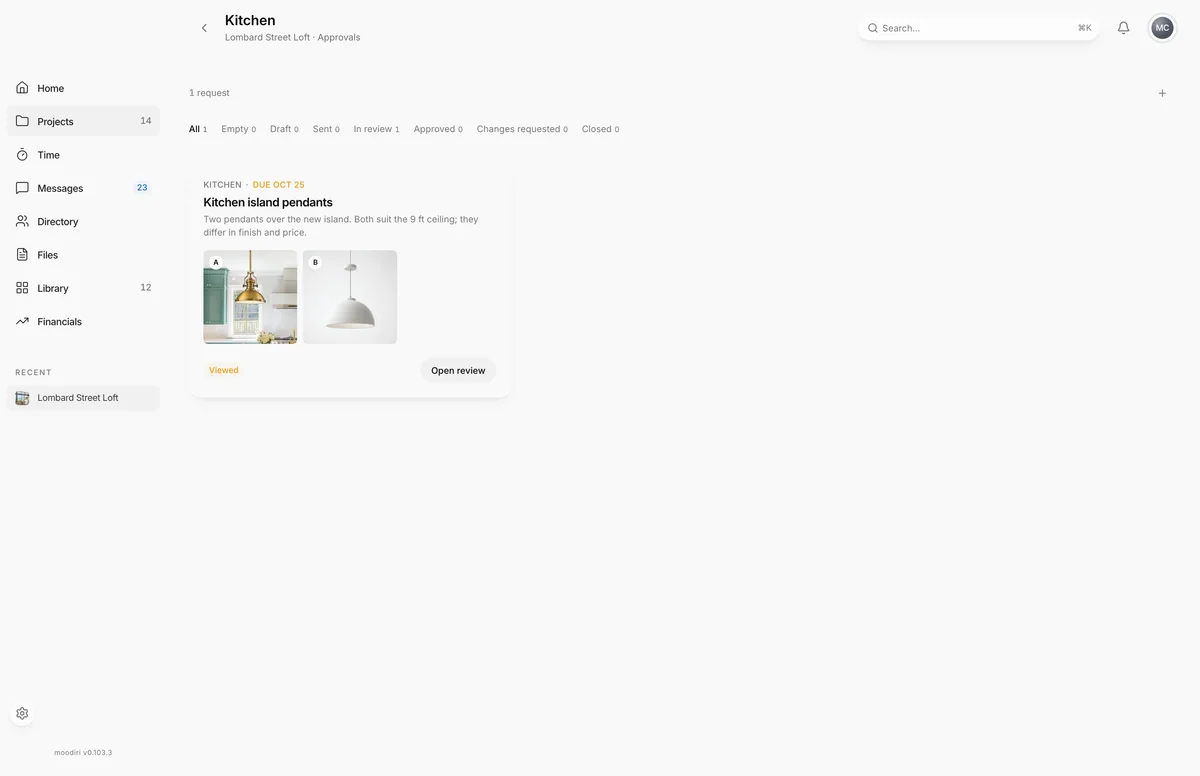
- 1New request
Space approvals gathers the approval requests for one room, so you can see what your client still has to decide for the kitchen without scrolling through the whole project. To get here, open the space and choose View all on its Approvals card.
What you see here
Each request is a card with the room and due date, the title, your note, up to three option images, its status and a button: Open draft, Open review or View response. Until your client answers, the due date shows in amber.
Choose a card to open a quick view of the request. Choose Open full screen there for the full approval details.
If the room has no requests yet, the page shows No approval requests for this space.
Filter by stage
The filter row above the cards narrows the list. Each filter shows a count.
- All, Draft, Sent, Approved, Changes requested and Closed.
- Empty: drafts with no options yet.
- In review: requests your client has opened, including ones where they asked for changes.
See How approvals work for what each stage means.
Start a new request
Choose New request (+) to open the request builder with this space already chosen. See Create an approval request.
Questions
Why is a request missing from this page?
Requests sent from a single product don't show here. Find them, and requests with no space, on the project's Approvals list.