Sales tax report
See sales tax charged and collected for any date range, by state, county, city and district, and export it for filing.
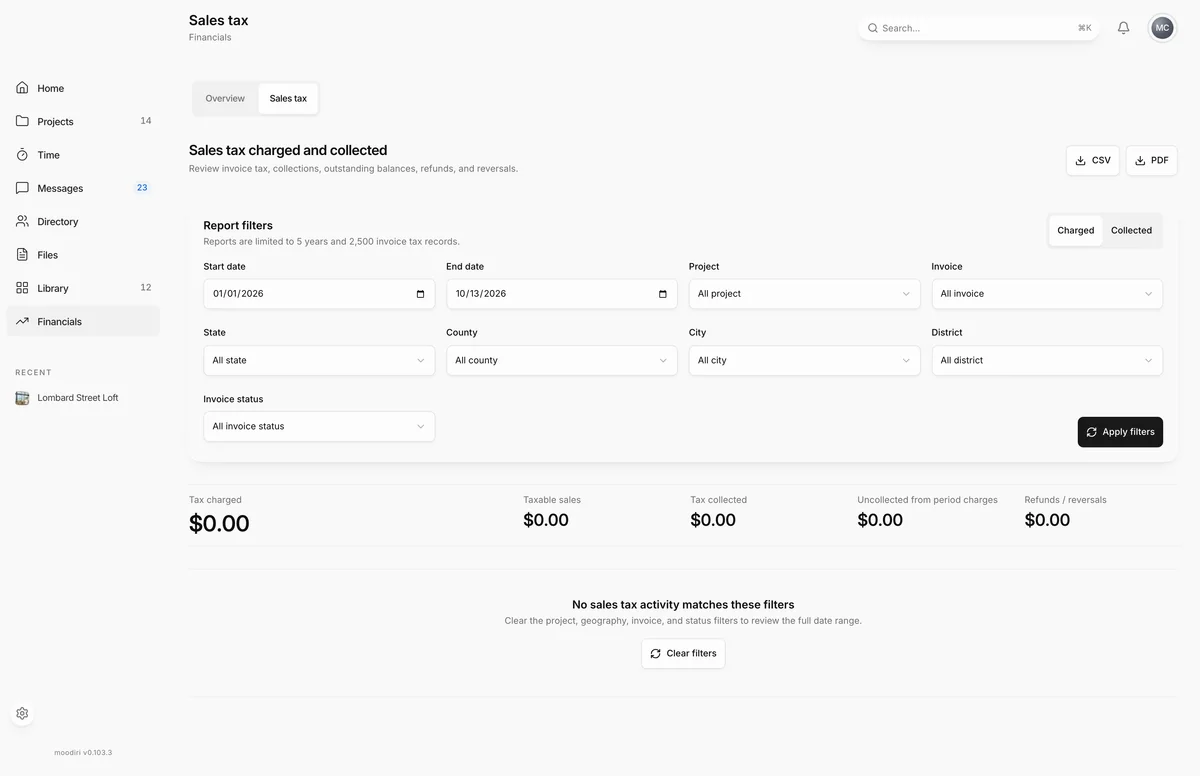
- 1Sales tax report
- 2Report filters
The Sales tax report shows the tax on your invoices for a date range: what you charged, what clients paid, what is still outstanding, and what was refunded or reversed. Use it to prepare a return or to check a single project or invoice. Open Financials, then choose Sales tax.
What you see here
- Sales tax charged and collected, with CSV and PDF export buttons.
- Report filters, with the date range and the Charged or Collected basis.
- Sales tax totals: Taxable sales, Tax charged, Tax collected, Uncollected from period charges and Refunds / reversals.
- The breakdown by jurisdiction, and the invoice activity behind it, page by page.
Filters and jurisdictions
Set a Start date and an End date, then narrow by Project, Invoice, State, County, City, District or Invoice status. Changes do not apply until you choose Apply filters; until then the form says Changes not applied.
The jurisdiction lists only offer places that appear in your invoices. Tax without an assigned jurisdiction shows as Custom / unassigned.
Export CSV and PDF
Choose CSV or PDF at the top of the report. The export uses the filters you last applied, not unapplied changes. Send the CSV to your accountant, or keep the PDF with your return.
Limitations: figures on hold, maximum date range
- A report covers up to 5 years.
- A report loads up to 2,500 invoices of tax evidence. If the range holds more, no figures show and This date range is too large for one report asks you to pick a shorter window, such as one filing period.
- If any invoice's tax does not match the tax evidence frozen when it was issued, Sales tax figures are on hold and the report stays hidden until they match, so you never file from figures that disagree. The message lists the affected invoices with links.
When to use it
- Before filing, to get the period's totals by jurisdiction.
- Checking one project, by filtering to its project or invoices.
- After a refund, to see how it changed what you owe.
Limits
- Date range up to 5 years.
- Up to 2,500 invoices of tax evidence per report. Narrow the range for more.
- Invoices whose tax does not reconcile hold the whole report.
Questions
Should I use Charged or Collected?
Use the basis your state files on. Charged counts tax on invoices when they were issued. Collected counts tax as clients paid it. Check with your accountant if you are unsure.
Why does the report say figures are on hold?
Some invoices carry tax that does not match the tax evidence frozen when they were issued. Open the listed invoices and resolve them, then run the report again.