Financial Hub
One place for your studio's money: today's position, collections, invoices, project finances, firm health, client funds and sales tax.
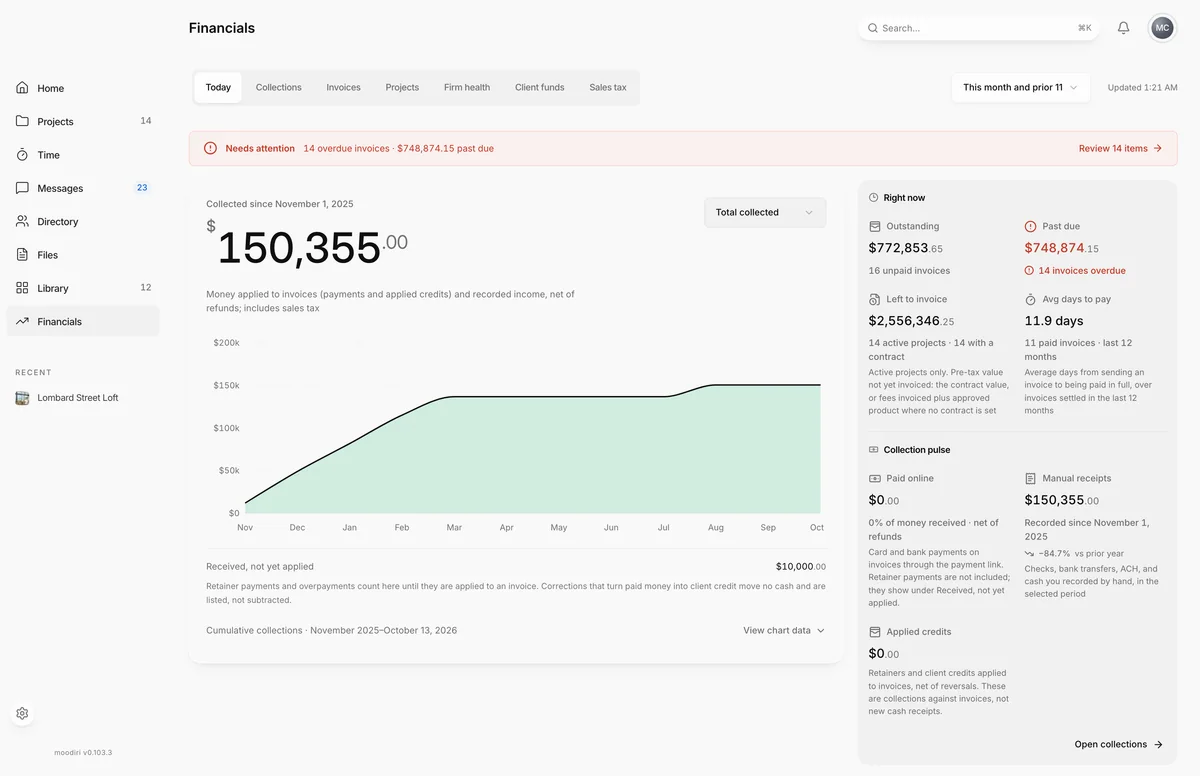
- 1Today
- 2Collections
The Financial Hub gathers every money question into one page with seven tabs, so you can go from "what is overdue?" to "how is this project doing?" without leaving Financials. Open Financials in the sidebar.
Where Invoices and Retainers go when the hub is on
With the hub on, Invoices and Retainers leave the sidebar and Financials opens the hub. The overdue badge moves to Financials.
- Your invoice list is the Invoices tab, with the same filters. Back links on an invoice return there.
- Retainers are summarized on Client funds. Choose View all to open the full Retainers list.
- The older Financials report still holds manual payments and client credit; links such as Manage payments take you there.
When something needs action, a Needs attention banner sits above the tabs with the number of overdue invoices and decisions waiting. Choose it to review the items.
Today
The quick read on where you stand. Right now shows Outstanding, Past due, Left to invoice and Avg days to pay. Collection pulse charts what came in, By project, By type or as Total collected, for the Reporting period you pick.
Collections (including Recent payments)
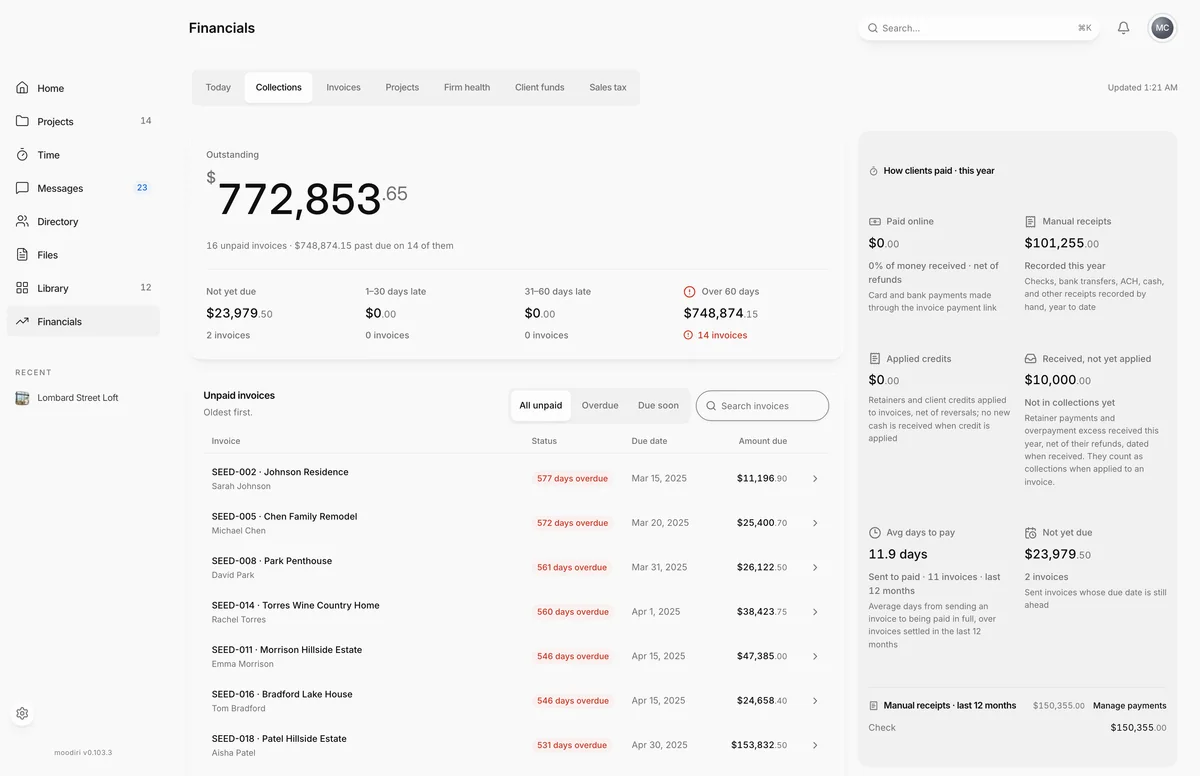
- 1Collections
Everything about getting paid:
- Unpaid invoices, with search and filters, showing who each invoice is for, when it was issued and when it is due.
- How clients paid · this year: Paid online, Manual receipts, Applied credits, Moved to client credit and Received, not yet applied.
- Manual receipts · last 12 months, with a Manage payments link.
- Recent payments, newest first: card and bank payments, recorded receipts, applied credits and refunds. Card amounts are what was applied to the invoice, before any processing fee the client paid. Choose a row for its details.
Invoices
Your full invoice list, the same one you know from Invoices, with its filters and search. Open any invoice from here. See Invoices list.
Projects
Pick a project to see Where the money stands: what was invoiced, collected and is outstanding, what is Left to invoice, retainers held, and products still waiting to be billed. Projects that need a decision are flagged. Choose Open project to go to the project.
Firm health
How the studio is doing over time: Collected revenue, an Estimated contribution after allocated costs, Costs by type, and cumulative revenue. Pick the period at the top.
Client funds
Money you hold for clients and have not earned yet: retainers and their unapplied balances, client credit available, and money received for product purchases. Use it to check what you owe clients before you spend it.
Sales tax
Tax charged and collected by jurisdiction for the quarter or year, with each collection period's remittances. See Record a sales tax remittance.
Limits
- Recent payments covers the last 24 months.
- Figures can lag a moment behind a new payment while the hub updates. The As of time shows when they are from.
Questions
Where did Invoices and Retainers go in the sidebar?
With the hub on, they live inside Financials. Invoices are on the Invoices tab, and retainers are on Client funds.
Why do the figures say they are updating?
The hub shows the last complete snapshot while it recalculates. Counts carry an As of time until the new figures land.