Export a project
Download every product on a project as a CSV, Excel or PDF procurement report, or build a spec sheet PDF to share.
Why use it
Sometimes you need the whole project in one file: to check orders in a spreadsheet, hand a list to your bookkeeper, or print a report for a site meeting. Export pulls every product across all spaces into one download, with quantities, costs, client prices, status, vendor and order numbers.
When to use it
- Procurement check-ins. Open the Excel file to review what is ordered, what is pending and from which vendor.
- Bookkeeping. Give your bookkeeper internal and client totals per product.
- A printed report. Take the PDF to a site or vendor meeting.
To share selections with a contractor, vendor or your client, build a spec sheet instead: Build a spec sheet.
Before you start
- Open the project from Projects. Anyone on the team can export.
- The project needs products in its spaces for the export to have rows.
Steps
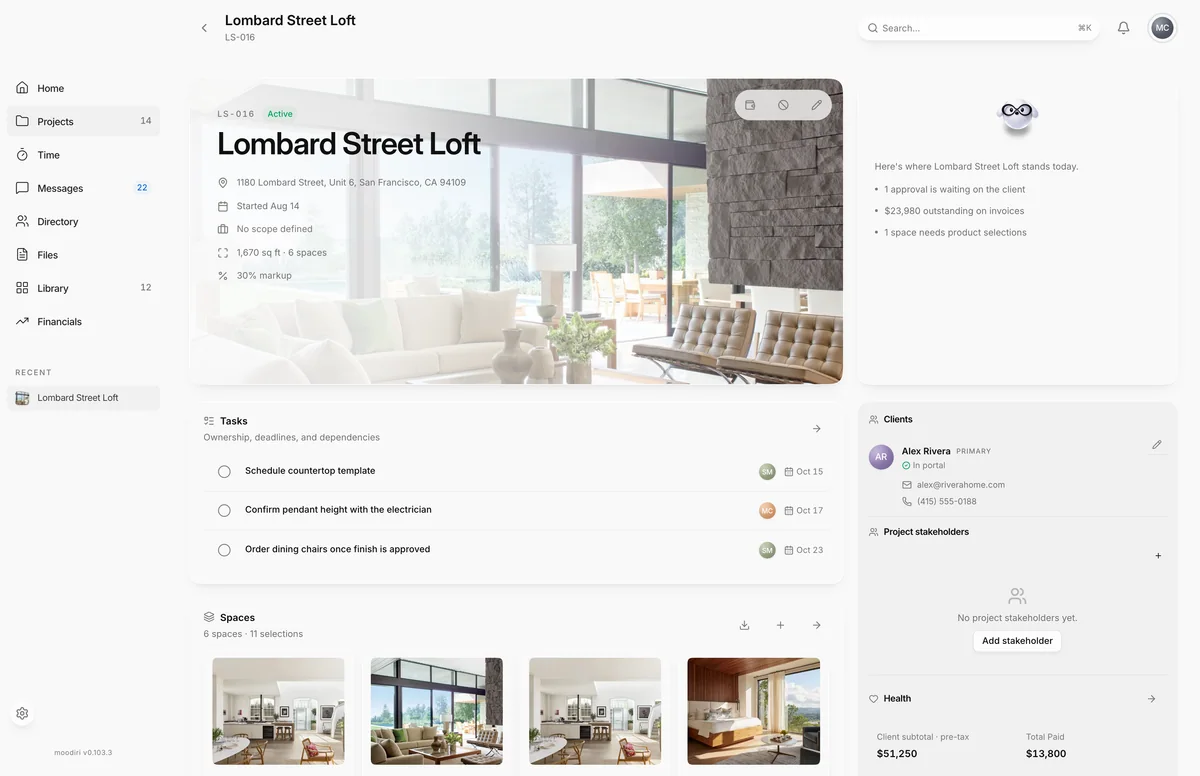
- On the project overview, find the Spaces card and choose Export (the download button).
- Choose CSV or Excel for a spreadsheet, or PDF for a printable report.
- For a document to send to a contractor, vendor or the client, choose Spec sheet PDF instead.
CSV, Excel and PDF exports
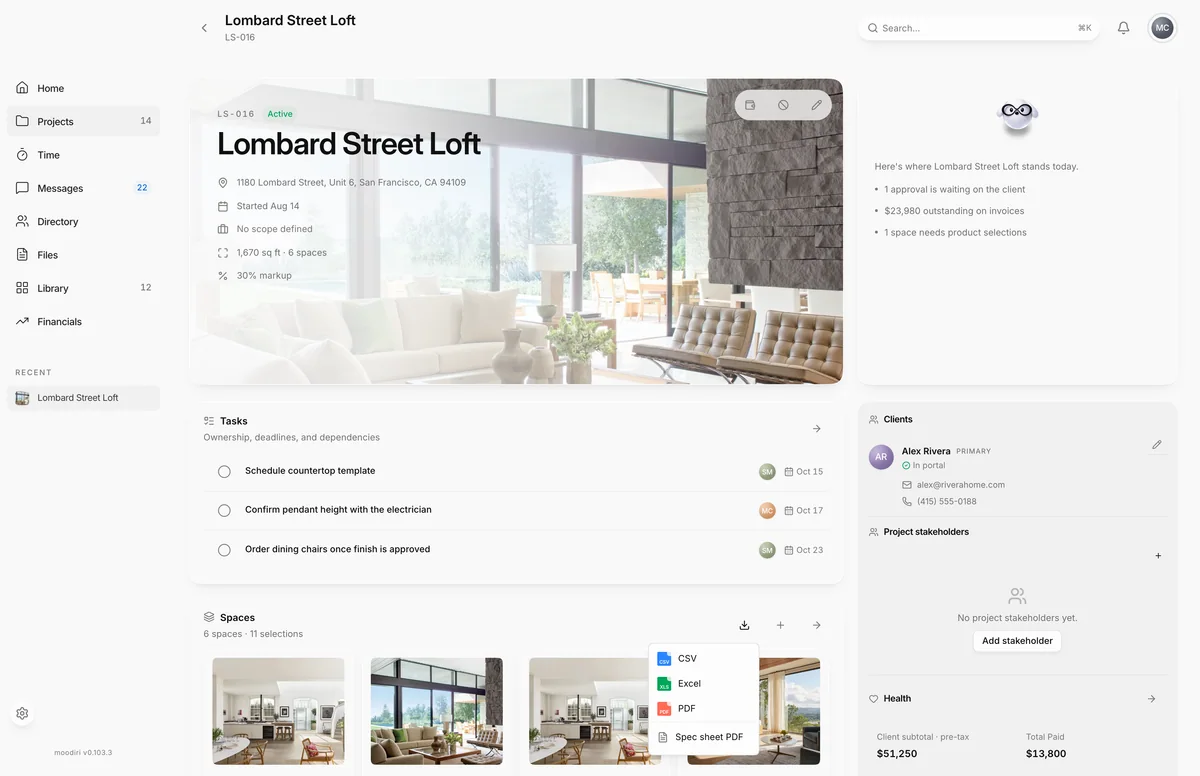
- 1Excel
CSV, Excel and PDF all export the project's procurement report: one row per product, with Space, Product, Brand, Model, Category, Quantity, Unit, Unit cost, Markup %, Unit price (client), Internal total, Client total, Status, Vendor and Order #.
The report includes internal costs and markup, so keep it inside your team.
Spec sheet PDF
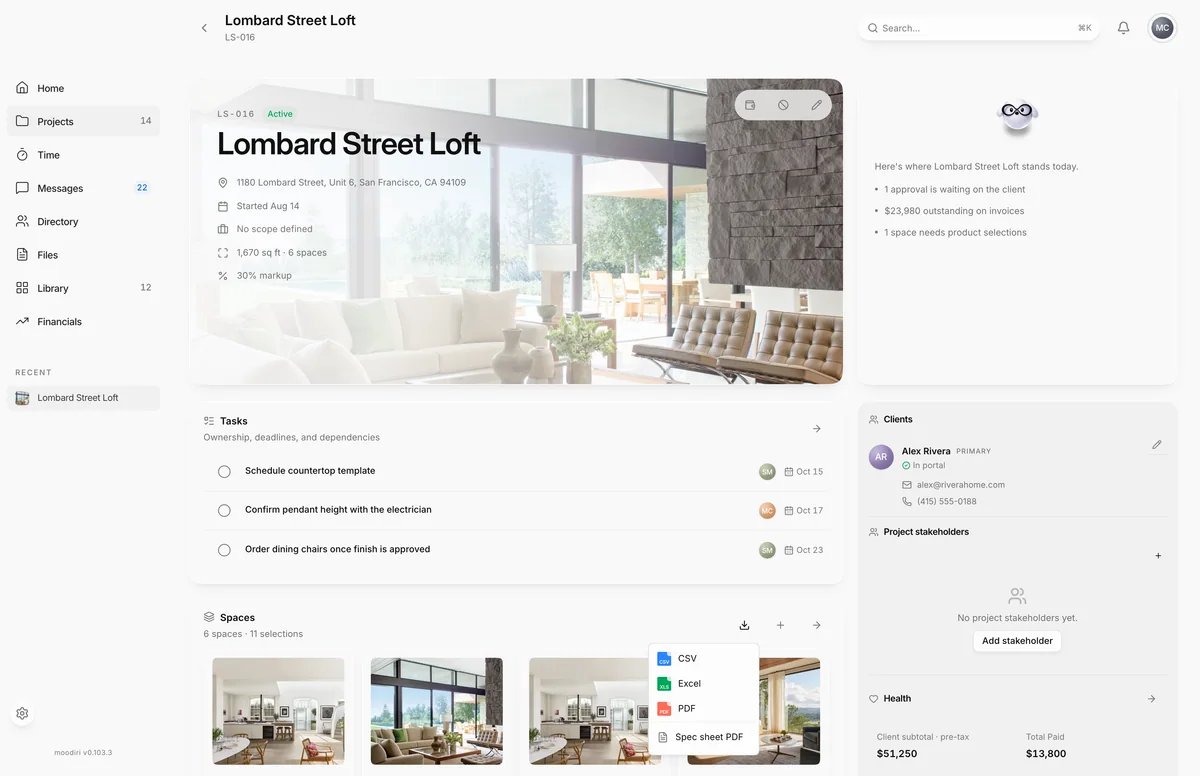
- 1Spec sheet PDF
Spec sheet PDF opens Product spec sheet, where you choose the Recipient, who it is Prepared for, which rooms, vendors, statuses and details to include, and preview the PDF before you download it. See Spec sheet PDFs and Build a spec sheet.
What happens next
- CSV, Excel and PDF files download to your computer right away.
- The spec sheet opens in its own window with a preview, and downloads when you are ready.
Limits
- A project export holds up to 500 products. For a bigger project, export spaces one at a time.
Questions
Can I send the procurement export to my client?
It is meant for your team. It includes unit cost, markup, internal totals and vendors. For a client-facing document, use Spec sheet PDF, where you choose what to show.
Can I export just one room?
Yes. Open the space, choose More product actions and pick an export. This also helps with very large projects.