Time reports
See confirmed hours, billable value, utilization and margin for any period, export the entries, and invoice approved unbilled time.
- 1Export report
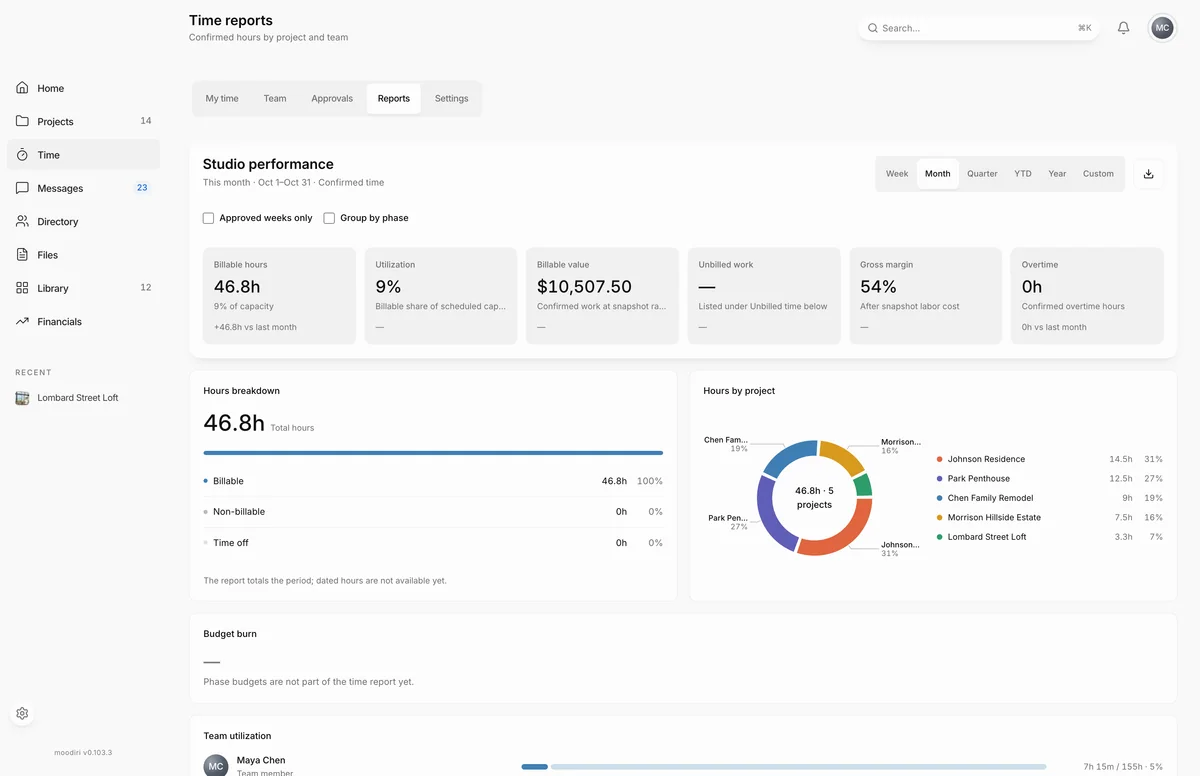
Reports shows how your studio's time was spent over a period: how much was billable, how much of everyone's capacity it used, and what it was worth. Below the report, Unbilled time lists approved billable hours that are not on an invoice yet. Open Time, then choose Reports. Only the owner and admins see this tab.
What you see here
- Studio performance, with the period and what is included (for example This month · Confirmed time).
- Summary tiles: Billable hours, Utilization, Billable value, Unbilled work, Gross margin and Overtime, each compared with the previous period.
- Hours by project, Project breakdown, Hours breakdown and Team utilization.
- Unbilled time, for the owner and admins with the Time tracking permission. See Invoice unbilled time.
Metrics and periods
Pick a period: Week, Month, Quarter, YTD, Year or Custom. A custom period asks for a Start date and an End date. Each tile compares the period with the one before it, such as last month or this time last year.
- Billable hours. Confirmed billable time in the period.
- Utilization. The billable share of scheduled capacity. It needs each member's weekly capacity.
- Billable value. Confirmed work at the rates that applied when it was logged.
- Gross margin. Billable value after labor cost, using each person's cost rate.
- Overtime. Confirmed overtime hours.
Two switches change what the report counts:
- Approved weeks only leaves out time from weeks that are not approved yet.
- Group by phase splits each project's hours by phase.
Export CSV and PDF
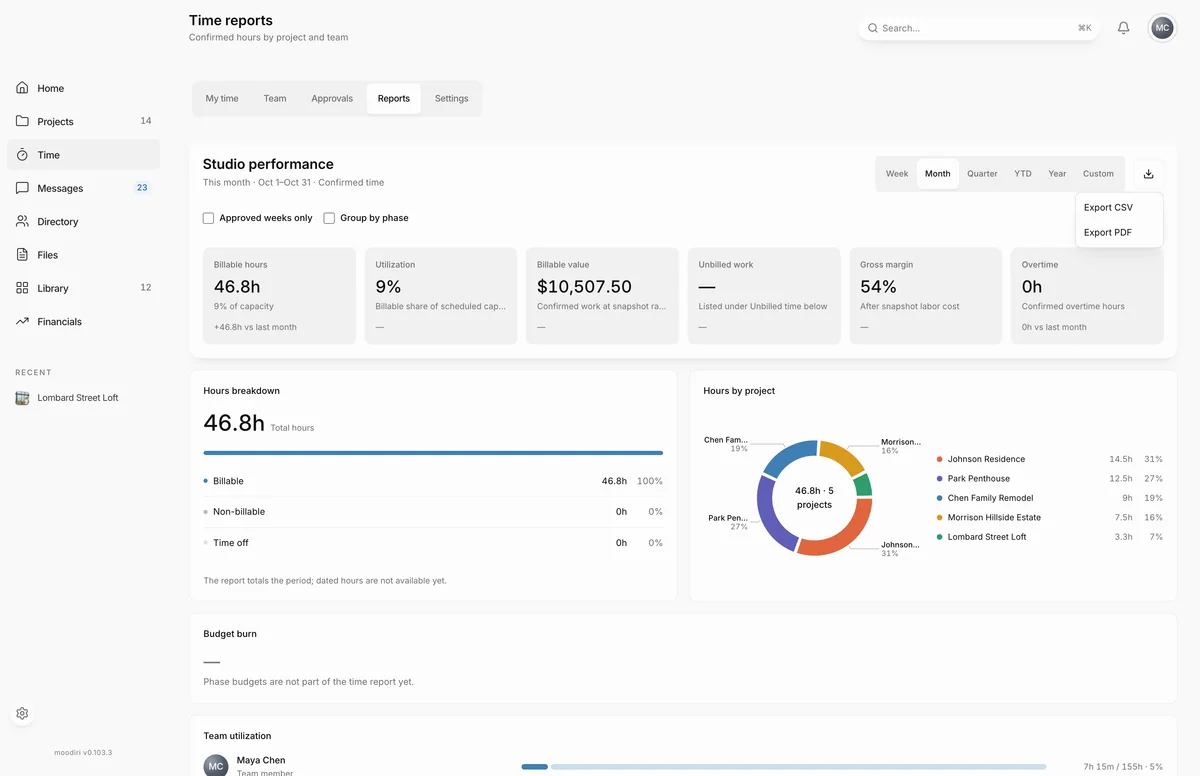
- 1Export CSV
- 2Export PDF
Choose Export report (the download button), then Export CSV or Export PDF. The export uses the period and switches on screen. The CSV lists every entry with date, member, project, phase, task, billing, hours, rate, value and week status. Exports need the Time tracking permission.
When to use it
- Month end, to see what was billable and what is still waiting to be invoiced.
- Project reviews, to see which phases took the most time.
- Capacity planning, to see who is over or under capacity.
Limits
- PDF export includes the first 100 entries. Use CSV for larger periods.
- CSV export includes up to 50,000 entries.
- Only the owner and admins can open Reports. Exports and Unbilled time need the Time tracking permission.
Questions
Why don't I see Billable value or Gross margin?
Money figures need rates. Without them, those tiles say rates and costs stay private. Set rates per person in Time settings.
Why is Utilization empty?
It needs each member's weekly capacity. Set it in Time settings.
Does the report include weeks that are still waiting for approval?
It reports confirmed time. Turn on Approved weeks only to leave out anything not yet approved.