Financials report
Your studio's money at a glance: outstanding and overdue invoices, revenue, payments, client credit, aging, retainers and what needs attention.
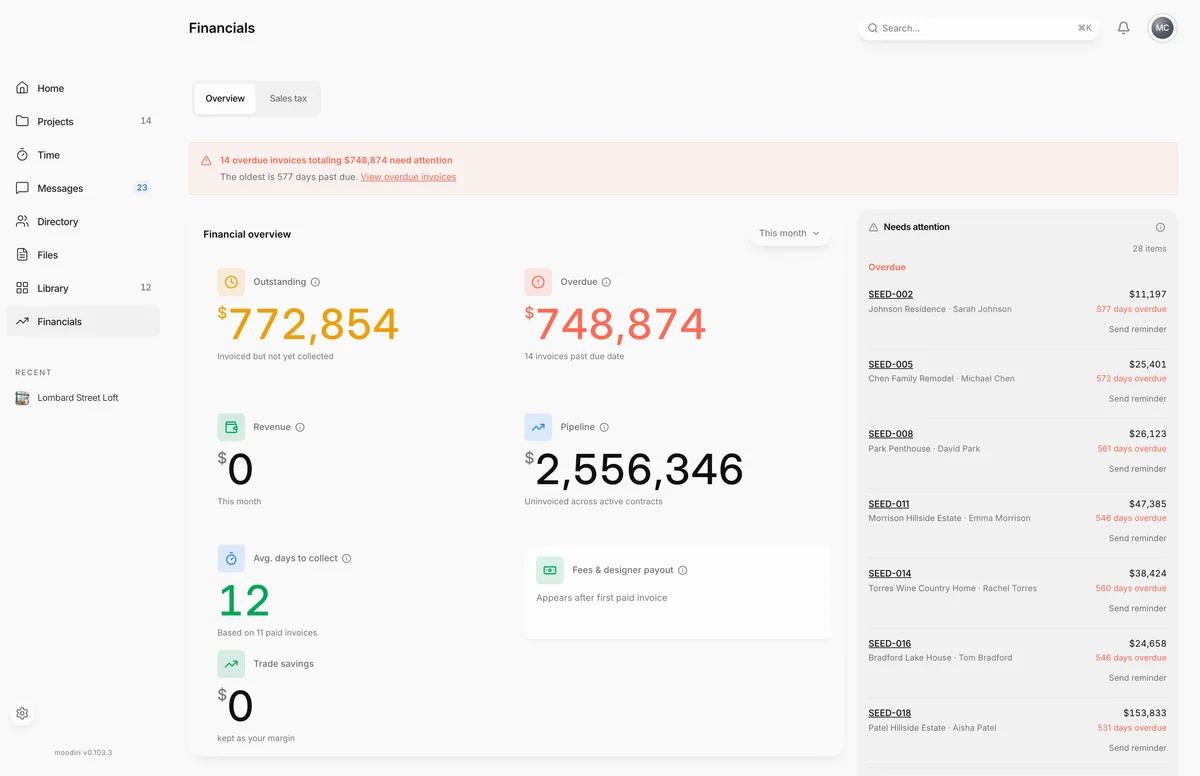
- 1Financial overview
The Financials report brings your invoices and payments together on one page, so you can see what clients owe, what came in, and what needs chasing without adding anything up yourself. Open Financials in the sidebar. With the Financial Hub on, the sidebar opens the hub instead.
What you see here
- Financial overview, with a period menu: This month, Quarter, Year or All time.
- Revenue, month by month, with Revenue by type.
- Online payments, Manual payments and Overpayments.
- Receivables aging and Retainers.
- Projects, a table of each active project's contract, invoiced, collected, outstanding and remaining amounts.
- Needs attention, alongside the report on wide screens.
If an invoice is overdue, a banner at the top says so.
KPI tiles and revenue chart
- Outstanding. Invoices sent but not yet paid.
- Overdue. Invoices past their due date.
- Revenue. Invoice value from payments that came in during the period.
- Pipeline. Contract value you have not invoiced yet. It needs contract values on your projects.
- Avg. days to collect. The average time between sending an invoice and getting paid. Under 30 days shows green; over 45 shows red.
- Fees & designer payout. The payment fees taken from online payments in the period, and your Net payout.
The Revenue chart shows what settled each month, split into services and purchasing. Revenue by type breaks it down further once your invoices have categorized lines.
Online payments
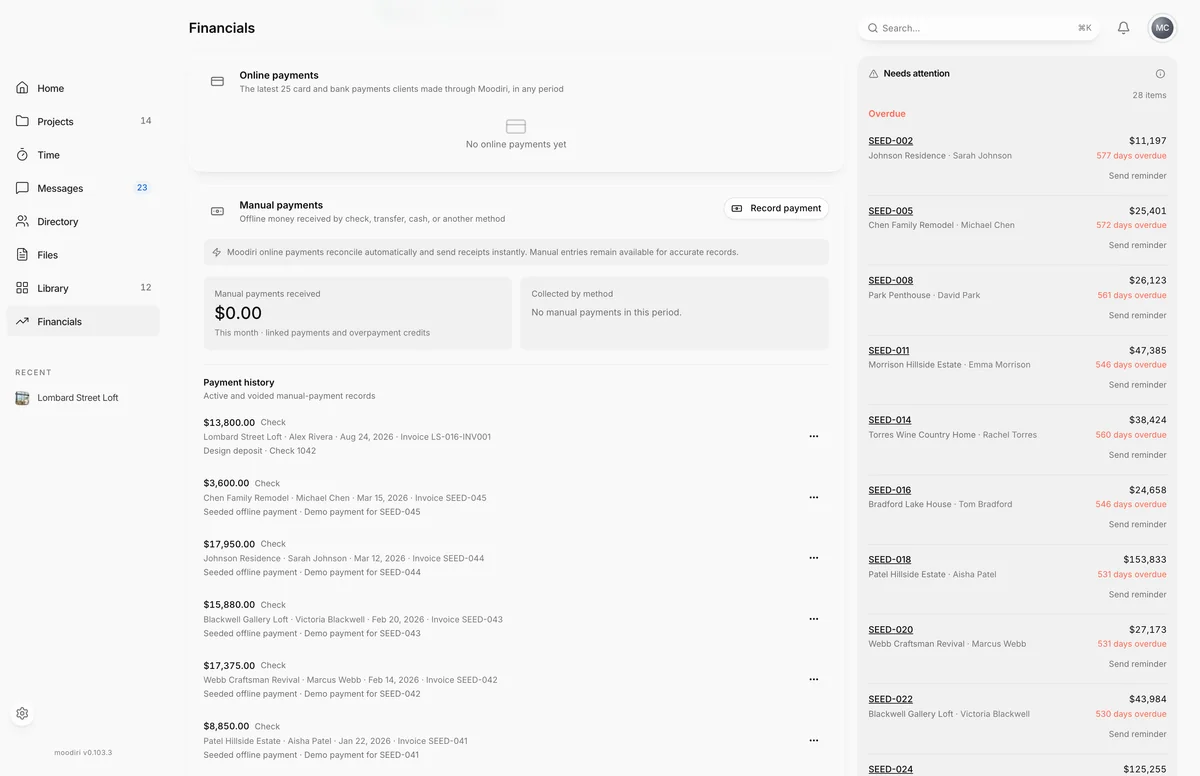
- 1Online payments
The latest card and bank payments clients made through Moodiri, in any period. Each row shows the payment method, project, client, date and invoice, with the amount. A refund or reversal shows under the payment. Choose a row's arrow to open the invoice.
Manual payments
Money you received outside Moodiri, by check, transfer, cash or another method. Manual payments received and Collected by method follow the period menu.
The owner and admins also see Payment history, with active and voided records. From a payment's actions you can choose Send receipt or Attach proof. Choose Record payment to add a new one. See Record a manual payment.
Overpayments / client credit (applied and refunded per credit)
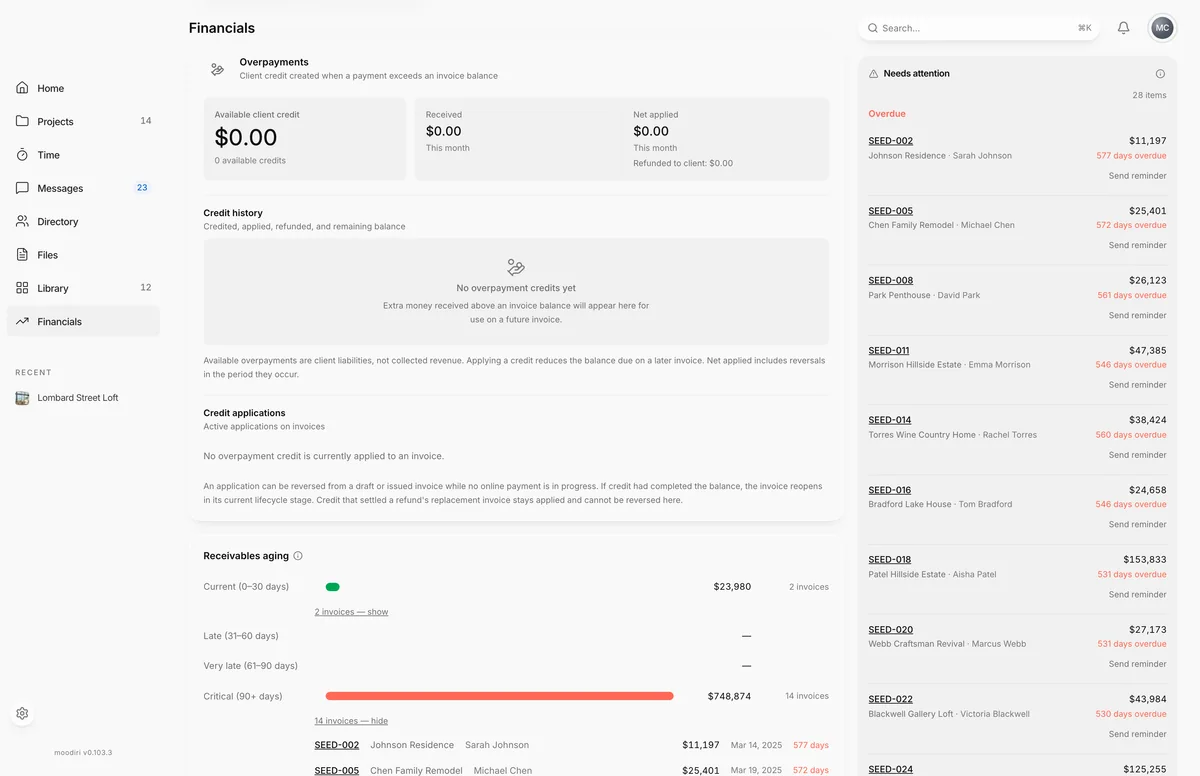
- 1Overpayments
When a client pays more than an invoice balance, the extra becomes client credit. The card shows Available client credit, what was Received and Net applied in the period, and any amount refunded to the client.
Credit history lists each credit with what was credited, applied, refunded and what remains. The owner and admins can choose Refund to client on a credit with a balance, and reverse a credit application under Credit applications. See Overpayments and client credit.
Receivables aging
Unpaid invoices grouped by how long they have been outstanding: Current (0–30 days), Late (31–60 days), Very late (61–90 days) and Critical (90+ days). The two oldest groups open by default, because those invoices are the hardest to collect.
Retainers summary
What you hold for clients this year: funds collected, applied to invoices, and still held. Held retainers are client money, not revenue, until you apply them. See Retainers.
Needs attention
A short list of what needs action: overdue invoices, invoices due soon, and products you added but have not billed yet. Choose Show more to open the full list, grouped into Overdue, Due soon and Unbilled products.
Limits
- Online payments shows the latest 25 card and bank payments, whatever the period.
- Avg. days to collect needs at least three paid invoices.
- Retainers always covers this year, not the selected period.
Questions
Why doesn't the period change the Retainers card?
Retainers are client funds you hold, so the card always shows this year. The period menu changes the invoice figures above it.
Why is Avg. days to collect empty?
It needs at least three paid invoices.
Who can record manual payments here?
The owner and admins. Other teammates see the totals but not the payment history.