Create an invoice
Build an invoice from your design fees, the project's products, expenses and logged time, then save it as a draft or send it.
Why use it
An invoice built from scratch in a spreadsheet drifts from what was actually ordered and approved. Building it in Moodiri pulls in the project's real products, prices and logged hours, keeps the totals right, and gives your client one link to pay online.
When to use it
- Design fees and retainers. A flat design fee, hourly work, a deposit or a change order.
- Purchasing. Bill the furniture, lighting and finishes you are ordering for the client, straight from the project's products.
- Reimbursables. Mileage, shipping, storage and samples.
- Everything at once. A Mixed invoice puts services, purchasing and expenses together.
To bill hours from your timesheets in bulk, start from Invoice unbilled time. To bring in invoices you issued before Moodiri, use Import past invoices.
Before you start
- Only the owner and admins can create invoices.
- Connect Stripe first. Until it is connected, Moodiri shows Connect to Stripe in place of the builder. See Before you start: connect Stripe.
- The project needs a client. Without one you see This project has no client. Add a client to the project before creating an invoice.
- To send the invoice (not only save it), the client needs an email address.
Steps
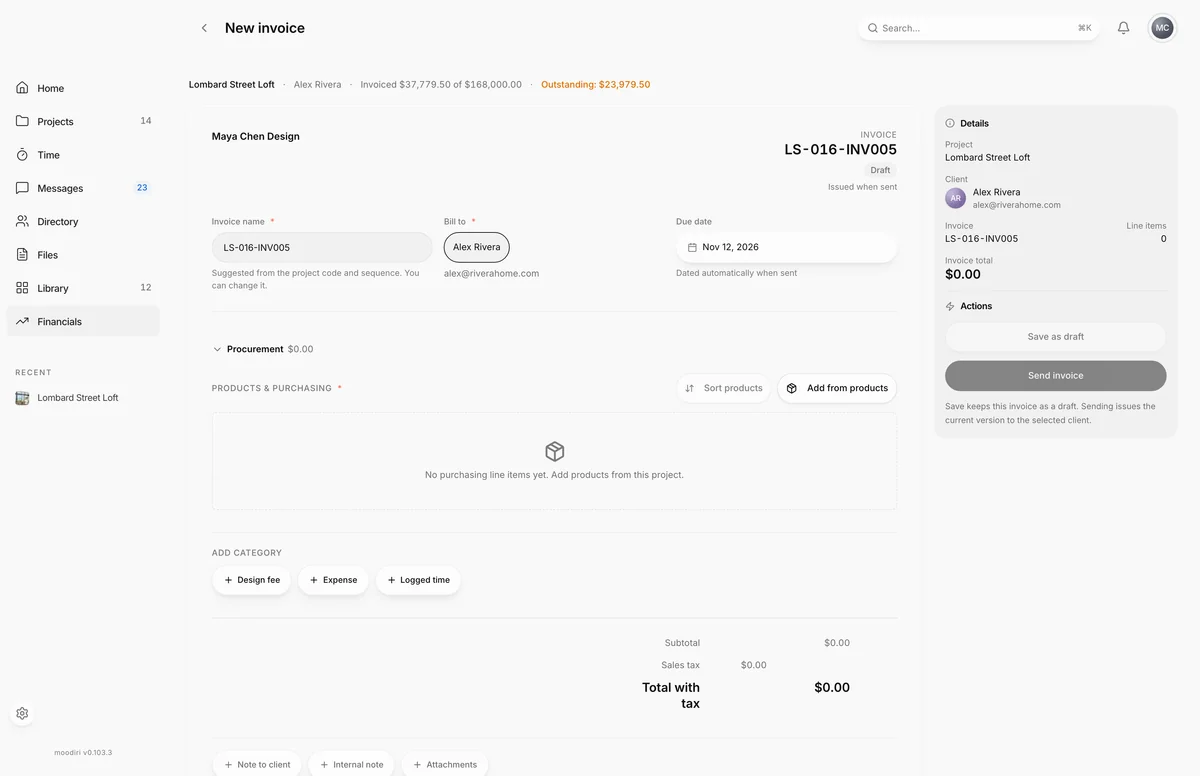
- 1Save as draft
- 2Send invoice
- On Invoices, choose Create invoice, then search for the project, for example Lombard Street Loft.
- Pick what you are invoicing for: Design services, Purchasing, Expenses or Mixed. The type only sets the starting section.
- Check the Invoice name. It is suggested from the project code and sequence, and must be unique on the project.
- Choose a Due date. It starts 30 days from today and can't be in the past.
- Describe the fee and enter its price, for example Design fee, phase 2 at $4,500.00.
- Under Add category, add another section, such as Expense for mileage or shipping.
- Choose Note to client to add payment terms your client reads on the invoice.
- Choose Save as draft to finish later, or Send invoice to issue it now.
Invoice types
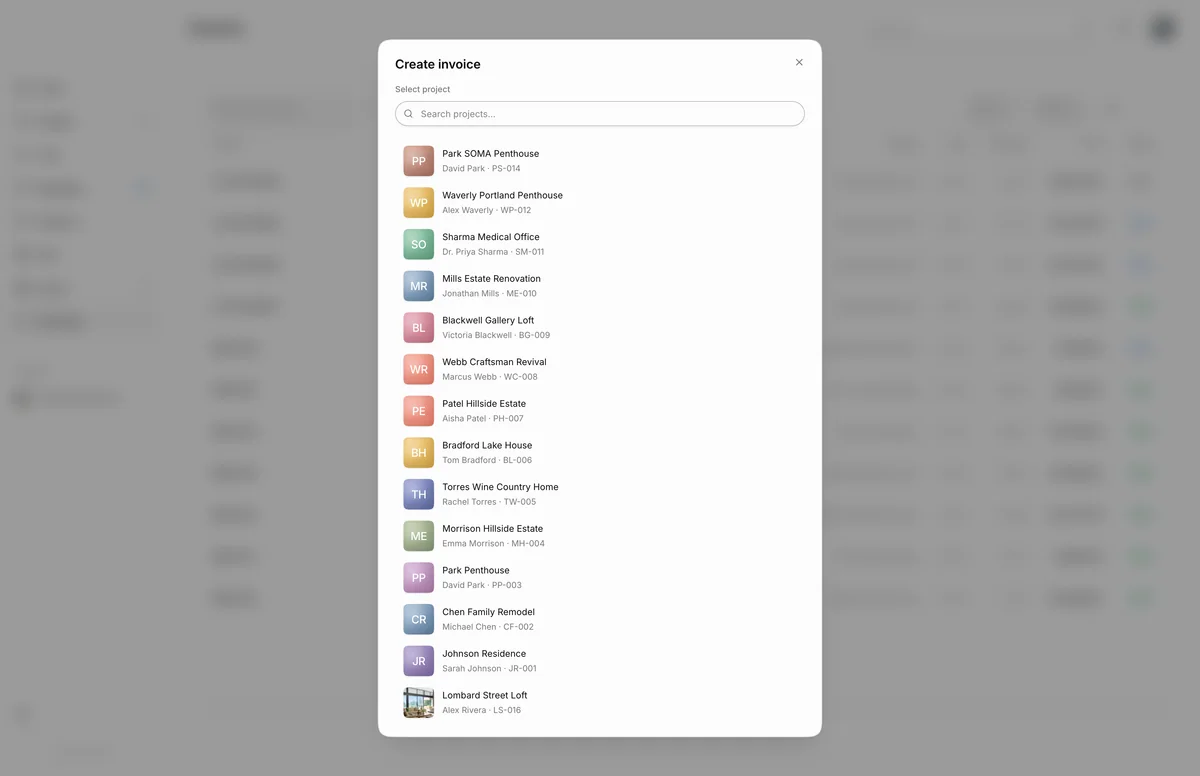
- 1Create invoice window
When you choose Create invoice, the window asks What would you like to invoice for?
- Design services: fees, retainers and change orders. Starts with a design fee line.
- Purchasing: products from your project spaces.
- Expenses: mileage, travel and reimbursables. Starts with a mileage line.
- Mixed: services, purchasing and expenses together.
The type only sets the starting point. You can add any other category in the builder.
Service lines
Under Design services, each line has a type, a description, a quantity, a unit price and a total. Types are Design fee, Hourly rate, Consultation, Project management, Change order, Retainer, Deposit, Rush fee, Revision fee and Other. For Hourly rate, enter hours as the quantity and your rate per hour as the price. Choose Add service line for more.
Purchasing lines
Under Procurement, choose Add from products to pick products from the project's spaces. See Add project products.
Sort and group products on the invoice
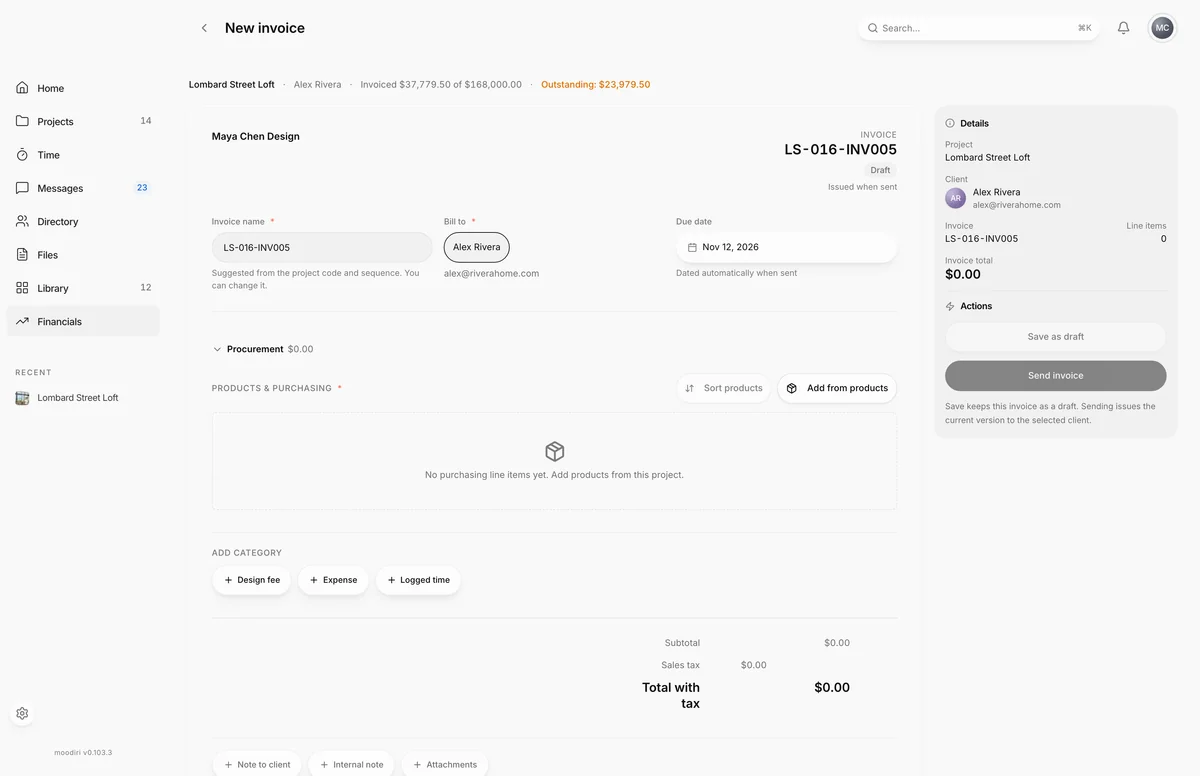
- 1Sort products
Once there are two or more products, choose Sort products and pick Room, Vendor, Category, Product name · A–Z, Amount · low to high or Amount · high to low. Sorting by room, vendor or category also groups the products under headings, and the grouping is saved with the invoice. Fees, expenses and custom lines keep their places.
Expenses (mileage, shipping, storage)
Under Expenses, choose Add expense and pick a type: Mileage, Parking & tolls, Travel, Accommodation, Shipping & freight, Storage, Samples, Supplies, Contractor markup, Expediting fee, Restocking fee or Other.
For Mileage, enter the miles and Moodiri multiplies them by the rate per mile. The rate starts at $0.67 per mile, and you can change it on the line.
Bill logged time
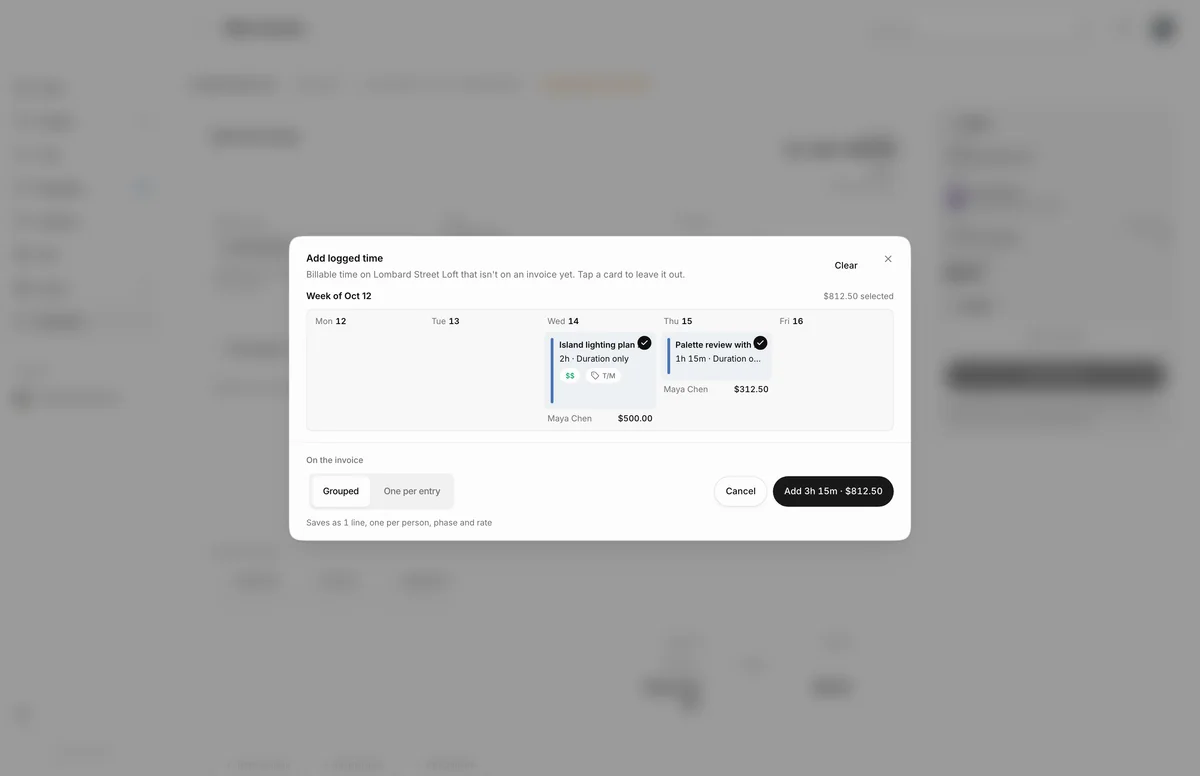
- 1Add logged time
Choose Logged time under Add category to open Add logged time. It lists billable time on the project that isn't on an invoice yet. Tap a card to leave an entry out, then choose whether the time appears Grouped or One per entry, and add it.
Billing logged time needs the owner, or an admin with the Time tracking permission. See Invoice unbilled time for billing time from your reports.
Partial billing (billing %)
To bill part of a product now and the rest later, set its Billing %. The percentage is cumulative: it is how much of the product is billed through this invoice, including earlier invoices. For example, bill a deposit at 50% now, then 100% on the final invoice. Use All products at the top of the column to set one percentage for every eligible product.
Billing % works on project products only, not on fees, expenses or custom lines. Once a product has a partial billing history, partial billing can't be turned off for it.
Sales tax on invoices
When your firm uses sales tax tools, service and expense lines have a Tax field, and product lines take their tax from the project. If products need a tax decision, the builder shows a review notice: choose Auto-calculate taxes to open Review product taxes. For each product, choose Project rate, Manual rate (with a reason) or Exempt (with a reason; a certificate is optional). Nothing changes until you apply your choices.
While products are waiting on review, the side panel shows Final total is waiting on product tax review. See the Sales tax report for what you collect.
Attachments, client notes and internal notes
Below the totals, add:
- Note to client: payment terms, milestones, anything your client should read on the invoice.
- Internal note: private reminders for your team. Your client never sees it.
- Attachments: PDFs that go with the invoice, such as a signed proposal.
Not ready to send? Save as draft keeps everything, and the invoice stays in Draft until you send it.
What happens next
- Save as draft creates the invoice in Draft and opens its invoice page. Its PDF is watermarked as a draft and your client sees nothing.
- Send invoice opens a confirmation showing who receives it, the total and the due date. See Send an invoice.
- The invoice is dated automatically when it is sent.
Limits
- The invoice name is required, up to 120 characters, and must be unique within the project.
- The due date can't be in the past.
- Attachments are PDF only, up to 20 MB each.
- Up to 500 logged time entries per invoice.
- Logged time and applying client credit can't be combined in one step. Apply the credit after saving.
- A closed project takes no new invoices.
- When sales tax tools are on, purchasing lines come from project products. Custom item is offered only when they are off.
Troubleshooting
- Enter an amount or remove this line. A line has a $0.00 total. Give it a price or remove it.
- Another invoice with the same name already exists in this project. Change the Invoice name.
- Confirm the trade discount on each flagged line before saving. A product's trade discount needs your review. Confirm it on the line, then save.
- This project is closed. Reopen it before creating an invoice. Reopen the project first.
Questions
Can I mix fees, products and expenses on one invoice?
Yes. Choose Mixed, or start with any type and add the other categories from Add category. The type only decides which section you start with.
Can I bill the same product twice?
Moodiri asks first. If a product is already on another invoice, you see Re-bill product already on another invoice? and must choose Re-bill and save to continue.
Can I apply a client's credit while creating the invoice?
Yes, when the client has credit available. Tick Apply credit to this invoice and set the Amount to apply. This isn't available on an invoice that includes logged time; apply the credit after saving instead.