Your portal address
See, copy and change the web address your clients use to open your client portal. Old addresses keep working.
Why use it
Your portal address is part of your brand. Clients see it in every invite, and a clear address that matches your firm's name looks more trustworthy than a random one.
When to use it
- Setting up. Pick an address that matches your firm's name before you invite your first client.
- A rebrand. Change it when your firm's name changes. Links you already sent keep working.
- Sharing. Copy the link for your website or email signature.
Before you start
- To change the address you need the Firm settings permission. The owner always has it.
- Open Settings and choose General.
Steps
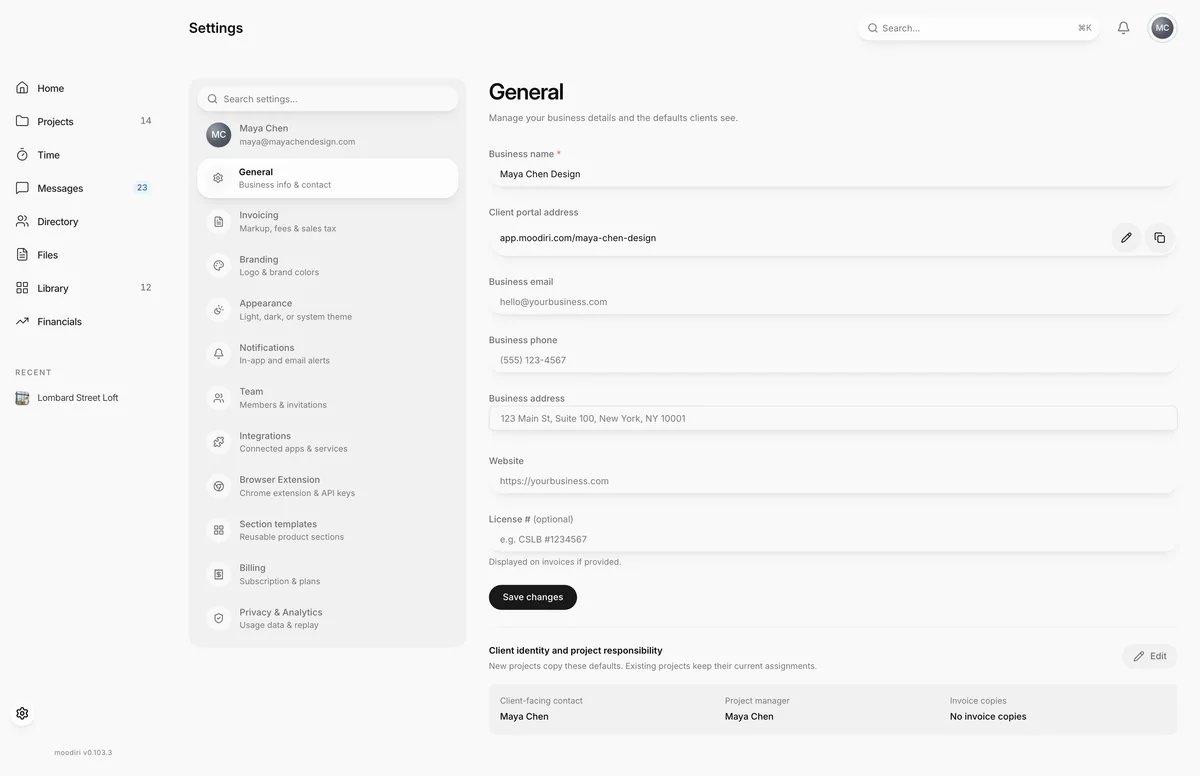
- Under Settings > General, Client portal address shows the address in every portal invite you send.
- Choose Copy portal link to copy the full address for your website or email signature.
- Choose Edit portal address (the pencil) to pick a new one.
- Type the new address, such as maya-chen-studio. Moodiri checks it as you type and may suggest alternatives.
- When it shows as available, choose Save portal address. You can change it again after 30 days.
Change your portal address
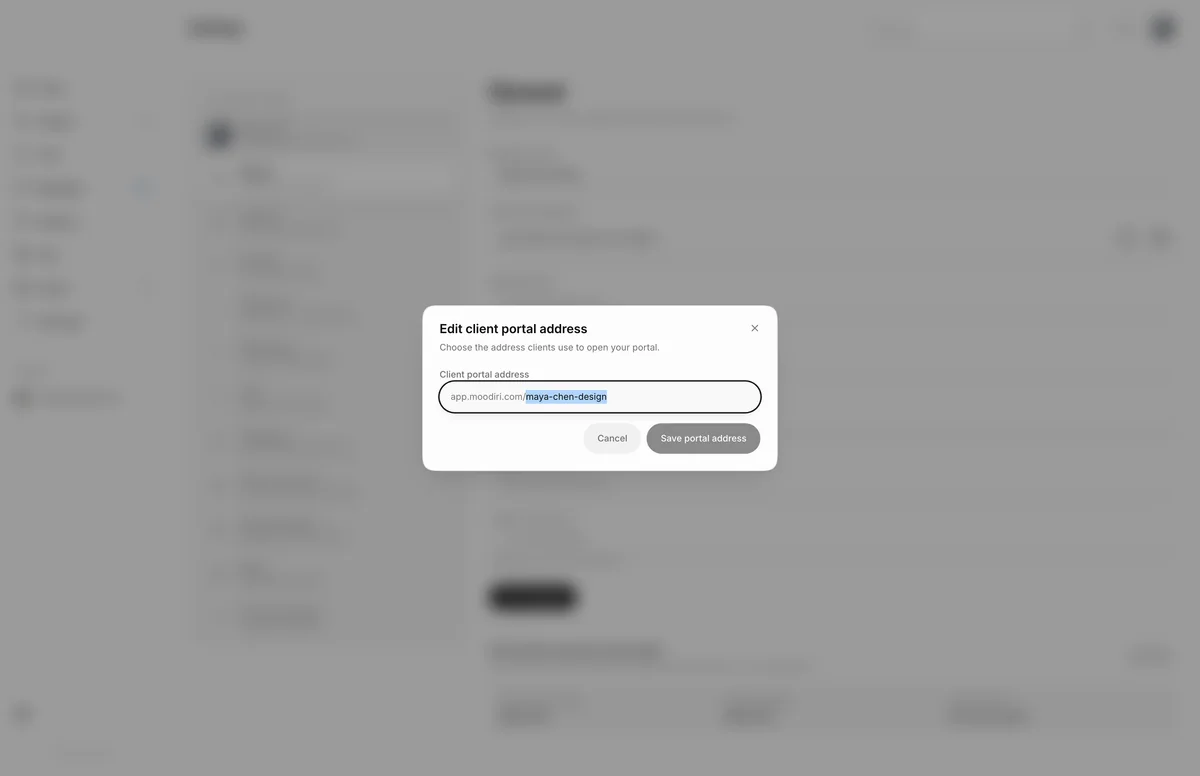
- 1Edit client portal address
- 2Save portal address
The editor checks each address as you type. You see that it is available, That address is not available. if another firm has it, or That address is reserved. for addresses that cannot be used. Choose one of the suggestions to use it.
You can change the address once every 30 days.
Old addresses keep working
When you change your address, the previous one becomes a redirect. A client who opens an old invite or bookmark lands on the same page at your new address. Old addresses cannot be picked again, by you or by another firm.
What happens next
- You see Portal address saved. New invites use the new address straight away.
- Clients who use an old link are sent to the new address automatically.
Limits
- 3 to 40 characters: letters, numbers and single hyphens.
- Some addresses are reserved.
- The address can be changed once every 30 days.
- A previous address redirects to the current one and cannot be reused.
Troubleshooting
- Use 3–40 letters, numbers, and single hyphens. Remove spaces, symbols and double hyphens.
- Portal addresses can be changed once every 30 days. Wait until 30 days after your last change.
Questions
Will links I already sent stop working?
No. Your previous addresses keep working and send clients to the current one.
Can I go back to my old address?
No. Once you change it, the old address only redirects to the new one and cannot be picked again.
Who can change the address?
The owner and admins with the Firm settings permission. Everyone else sees it read only.