Create your account
Sign up with Google or with your work email. Email sign-up sends a secure link instead of asking for a password up front.
Why use it
Your Moodiri account is the sign-in you will own the firm with. The person who creates the account becomes the firm's owner, with every permission, and is the one who sets up the business, payouts and team.
When to use it
- You are starting a new firm workspace. You will be its owner.
- You are trying Moodiri for your own studio. Sign up, then follow onboarding.
If a teammate invited you, accept their invitation instead: see Accept a team invitation. Clients sign in to the portal, not here: see Signing in to your portal.
Before you start
- A work email you can open now, or a Google account.
- Open the Moodiri sign-up page. From the log-in page, choose Sign up.
Steps
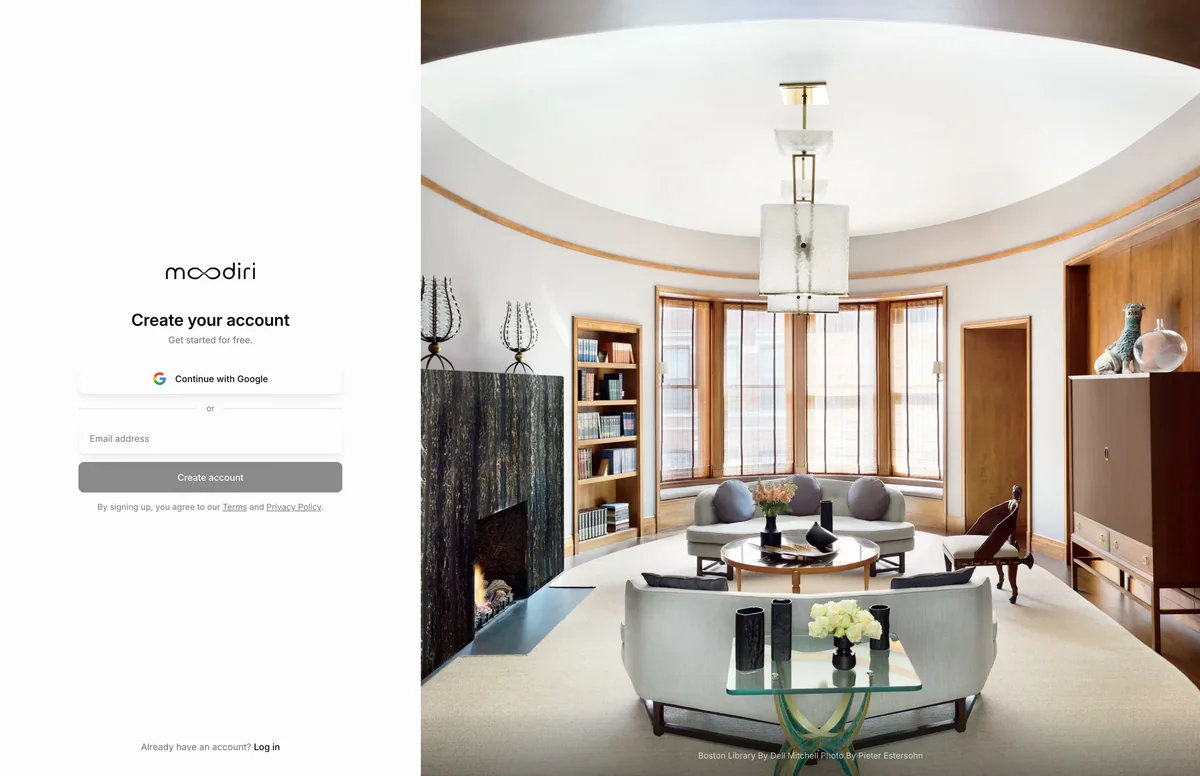
- Open the sign-up page. To use Google, choose Continue with Google above the form; otherwise use the email field.
- Type your work Email address, for example jordan@example.com. You set a password later.
- Choose Create account. Moodiri emails you a sign-in link and shows Check your email.
Sign up with Google
Continue with Google opens a Google window where you pick your account. When you finish there, the window closes and Moodiri continues in the original tab. If your browser blocks the window, Moodiri shows Popup blocked. Please allow popups for this site.
Sign up with email (verification link)
Type your email and choose Create account. Moodiri emails you a sign-in link and shows Check your email. The link opens a Confirm your sign-in page first, and your sign-in only completes when you choose Continue. That stops email security scanners, which open links automatically, from using up your link.
After you continue, Moodiri asks you to Create your password so you can log in with your email and password next time.
By signing up, you agree to Moodiri's Terms and Privacy Policy. Both are linked under the form and listed in Legal.
What happens next
- Moodiri opens the onboarding walkthrough. You can leave with Save & exit and pick up where you left off the next time you log in.
- After onboarding, you land in your workspace. Learn the layout in Finding your way around.
Limits
- Passwords need at least 8 characters, and no more than 72 bytes (about 72 plain letters and numbers).
- The emailed link only signs you in after you choose Continue on the confirmation page.
Troubleshooting
- This link isn't valid: the link is incomplete or has expired. Choose Back to log in and request a new one.
- An account with this email already exists. Try a different sign-in method.: you already have an account with that email. Log in with the method you used before. See Sign in.
- Popup blocked. Please allow popups for this site.: allow pop-ups for Moodiri in your browser, then choose Continue with Google again.
Questions
Why didn't I get a password field when I signed up?
Email sign-up proves you own the address first, with a link. You set your password right after you follow that link.
Someone invited me to their firm. Should I sign up here?
No. Use the link in your invitation email so you join their firm instead of creating a new one. See Accept a team invitation.
Can I use Google now and a password later?
Yes. You can add a password later from your profile. See Profile.