Settings
Privacy and analytics
Choose whether Moodiri collects anonymous feature-usage data and masked onboarding replays from your account.
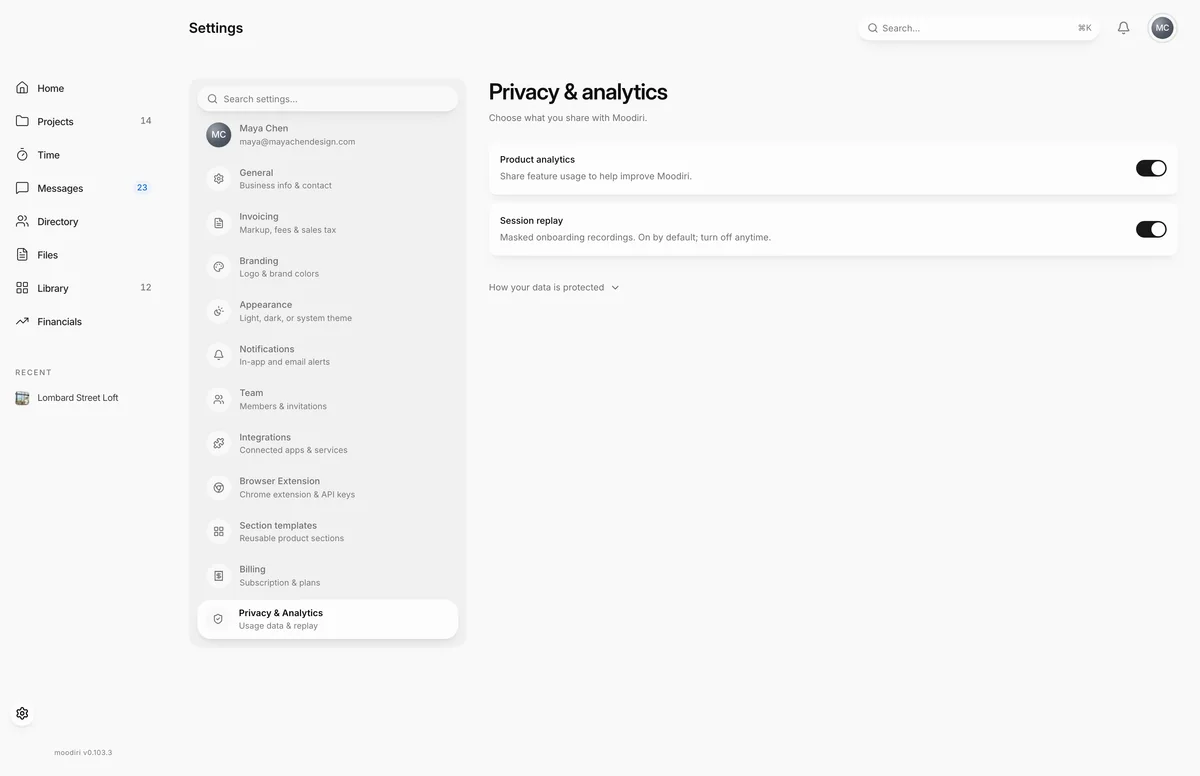
- 1Product analytics
- 2Session replay
Privacy & analytics lets you decide what usage data you share with Moodiri to help improve the product. Both switches are personal: they apply only to your own account and save as soon as you change them.
Open Settings, then choose Privacy & Analytics.
What you see here
- Product analytics. Shares how you use features. It uses internal IDs and leaves out names, contact details, free text and document contents. Turning it off also pauses session replay.
- Session replay. Masked recordings of onboarding only. On by default; turn it off any time. While Product analytics is off, replay is paused but your replay choice is kept, so it resumes if you turn analytics back on.
- How your data is protected. Expand it for the full explanation of what is collected and what is excluded.
Limits
Limits
- The switches apply to your account only.
- Anonymous, firm-level totals without personal information may still be used for service reliability and billing.
Questions
Does this affect my clients or teammates?
No. These switches are personal and apply only to your account.
What does session replay record?
Only onboarding. Visible text and inputs are masked, and images and privacy-sensitive pages are blocked.
Next
Was this page helpful?
Thanks, noted.