Clients, vendors and directory · Clients
Add a client
Create a client record with their name, contact details and company, ready to link to projects, invoices and the client portal.
Why use it
Typing a client's details into every project and invoice leads to three spellings of the same email. A client record holds them once, so every project, invoice and portal invite uses the same, current details.
When to use it
- A new client signs. Add them before you create their first project.
- A second decision-maker. Add a partner or spouse as their own client, then add them to the project as a co-owner.
To add someone straight onto a project, choose Manage clients on the project instead. See Add a client to a project.
Before you start
- Only the owner and admins can add clients.
- Open Directory from the sidebar. It opens on Clients.
Steps
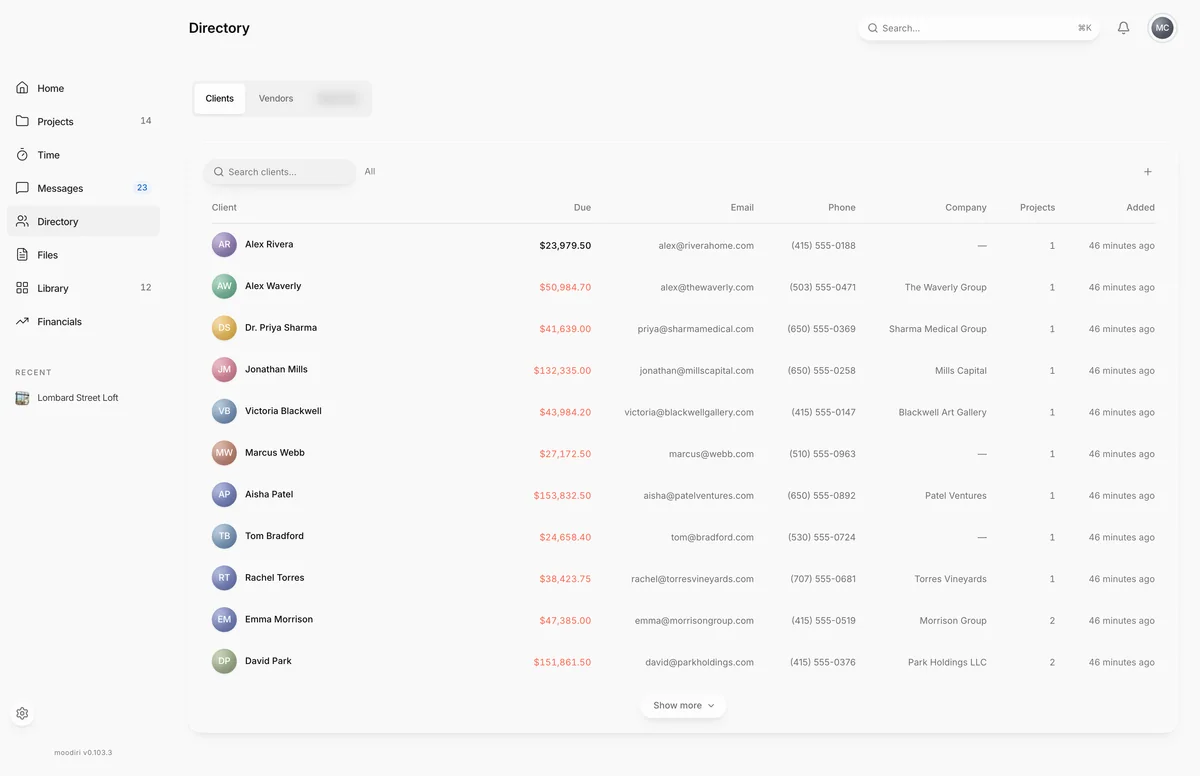
- In Directory, on Clients, choose Add client.
- Enter the client's First name and Last name, for example Jordan Ellis. Both are required.
- Choose Next, then add an Email. You need one to email invoices or invite the client to the portal.
- Add a Phone number if you have one. It is optional.
- Choose Next, then enter a Company if the client is a business, or choose No company.
- Choose Review, check the details, then choose Add client. Choose Edit on a row to change it.
What happens next
- You see that the client has been added, with a choice to Add another person or Done.
- The client appears in the Clients list and can be picked when you create a project.
- Nothing is sent to the client yet. When they are on a project, send a portal invite.
Limits
Limits
- First name and Last name are required. An email, if you add one, must be a valid address.
- The Send portal invite after adding switch on the review step does not send an invite. Send it from the client's page after linking them to a project.
Questions
I closed the steps halfway. Did I lose what I typed?
Usually not. The steps keep a draft in this browser and offer to restore it the next time you choose Add client.
Does turning on Send portal invite after adding email my client?
Not yet. Clients are invited to a specific project, so send the invite from the client's page once they are linked to one.
Next
Client pageClients, vendors and directoryCreate a projectProjectsSend or resend a portal inviteClients, vendors and directory
Was this page helpful?
Thanks, noted.