Spaces (rooms) · Space page
Delete a space
Remove a room you no longer need, along with its products. Only the owner and admins can delete a space, and it can't be undone.
Why use it
Plans change: a room drops out of scope, or a space was added twice by mistake. An unused space clutters the project for you and your client and can throw off room totals. Deleting it keeps the project to the rooms you are actually designing.
When to use it
- A room leaves the scope. The client decides not to redo the guest bath.
- A duplicate. Two Kitchen spaces were created by accident.
- A test room. You set up a space to try something out.
If you only need to rename or retype a room, edit it instead.
Before you start
- You need to be the firm owner or an admin. Members can't delete spaces.
- Move any product you want to keep to another space first.
- Open the project and choose View all under Spaces. On wider screens you can also choose Delete space in the panel on the right of the space page.
Steps
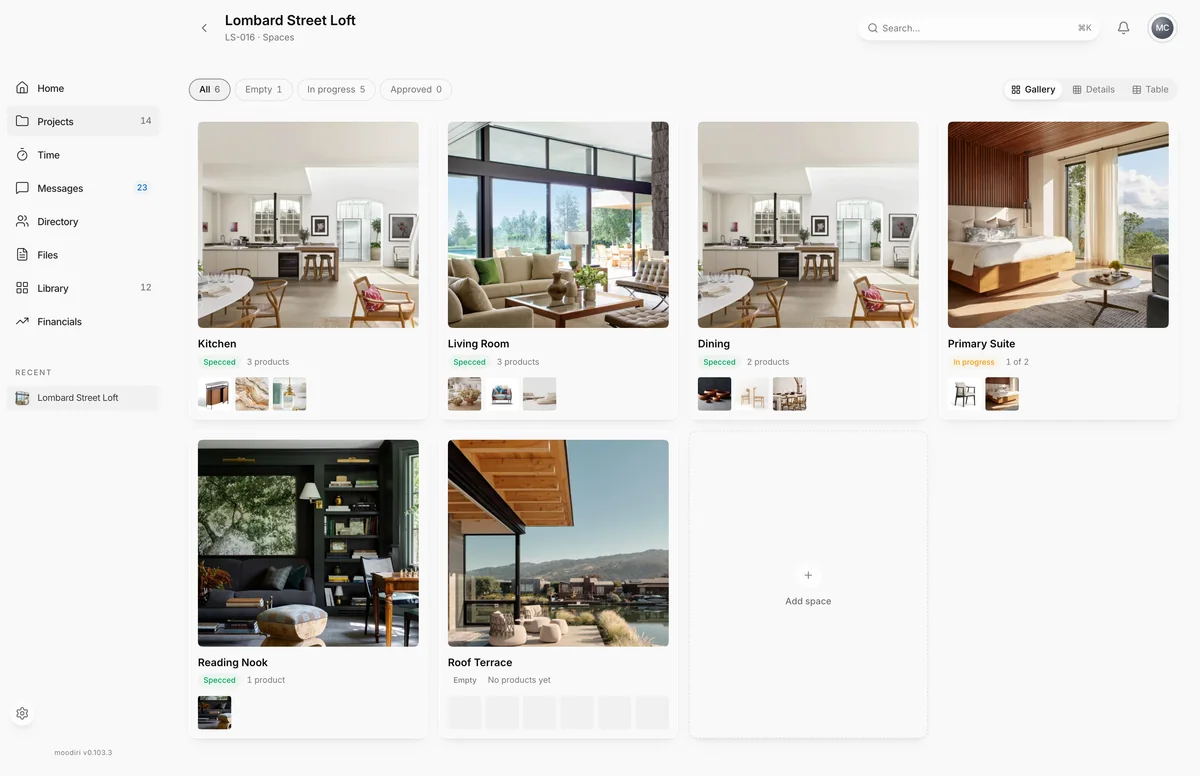
- On the spaces list, find the card of the room you want to remove, such as Kitchen.
- Hover the card and choose the trash icon at its top right.
- Read the confirmation. It names the room and how many products go with it, such as 3 products.
- Choose Delete space to delete the room and its products, or Cancel to keep it.
What happens next
- The space and every product in it are permanently deleted. This can't be undone.
- Documents filed under the space are kept for 30 days, then permanently removed.
- If you deleted from the space page, Moodiri returns you to the spaces list.
Limits
Limits
- Only the owner and admins can delete a space. Members can ask one of them to do it.
- Deleting a space deletes all of its products. Move the ones you want to keep first.
- There is no undo. To change a room's use, edit it instead.
- A space can't be deleted while one of its products is billed, partly billed or on a draft invoice. Move that product to another space, or remove it from the draft, first.
Troubleshooting
- Can't delete this room: … Move it to another room first. The message names the product and the invoice that holds it. Products on sent invoices stay with their invoice, so move the product to another space and try again.
- Products in this space are changing. Refresh and try again. Someone is editing a product in the room. Refresh the page and delete again.
Questions
Can I get a deleted space back?
No. The space and its products are permanently deleted. Documents filed under it are kept for 30 days before they are removed.
I want to keep some of the products. What do I do?
Move them to another space first, then delete the room. See Move, duplicate, edit or delete a product.
Next
Was this page helpful?
Thanks, noted.