Pause or close a project
Take a project off your Active list: pause it while work is on hold, or close it when the job is finished.
Why use it
Finished and stalled jobs crowd your Active list and make it harder to see what needs attention today. Pausing or closing moves a project to the Archive view without deleting anything, and you can bring it back at any time.
When to use it
- The client put the job on hold. Pause it. Nothing about invoices, payments or unbilled time changes.
- The work is finished, or the client ended it. Close it. Moodiri first shows draft and unpaid invoices, unbilled time and held funds so nothing is left hanging. See Close a project.
To remove a project you created by mistake, delete it instead: Delete, restore and permanently delete a project.
Before you start
- You need to be the owner or an admin. Closing also needs the Delete projects permission.
- Save or discard any changes in Edit project first. Pausing or closing discards unsaved edits in the dialog.
Steps
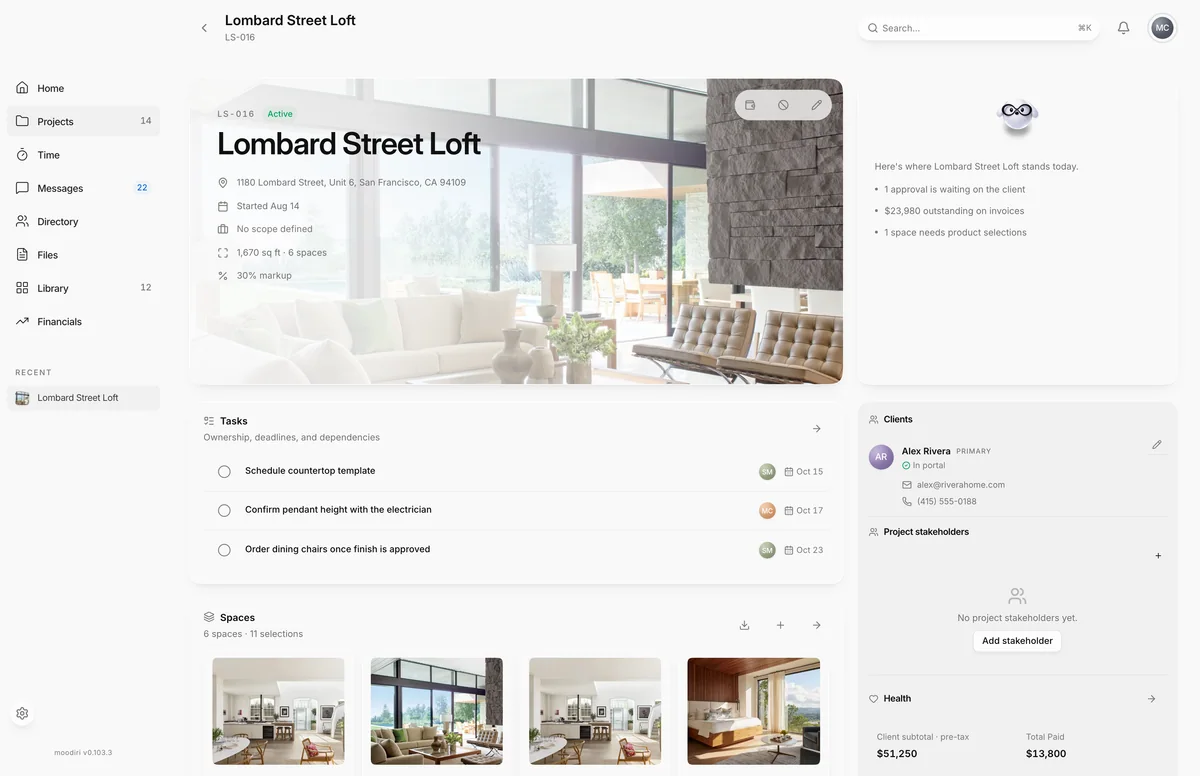
- Open the project and choose Edit project (the pencil at the top right of the project card).
- In the dialog footer, choose Archive….
- Choose Pause project to put the job on hold, or Close project to review open money and close it.
What happens next
- Pause project sets the project to On hold and moves it from Active to Archive. Invoices, payments and unbilled work stay as they are.
- Close project opens the close review. When it finishes, the project is marked completed and moved to Archive.
- Either way you return to the projects list with a confirmation.
- To resume, open Archive and choose Restore. The project becomes active again.
Limits
- Edit project › Archive… asks you to choose Pause project or Close project.
- A completed or cancelled project cannot be paused; the dialog only offers Close project.
- The Status field in Edit project offers only Active and On hold. Closing always goes through Archive… › Close project.
- Restore on the Archive view needs the Delete projects permission.
Questions
How do I bring a paused project back?
Open Projects, switch to Archive and choose Restore on the card. You can also set Status back to Active in Edit project.
Why is there no Pause option?
A completed or cancelled project can't be paused. You can only close it, or restore it from the Archive view first.
Can I just set the status to Completed?
No. The Status field in Edit project only offers Active and On hold. Closing always goes through Archive… › Close project, so open invoices are reviewed first.