Financials · Retainers
Cancel or refund a retainer
Cancel a retainer your client has not paid yet, or refund some or all of a paid retainer to their original payment method.
Why use it
Plans change: a client pulls out, the scope shrinks, or a deposit was charged twice. Cancelling or refunding through Moodiri keeps the retainer, the project and your client's portal in step with what actually happened to the money.
When to use it
- Cancel when you sent a payment link by mistake or the client will not go ahead before paying.
- Refund when a paid retainer is no longer needed in full, such as a cancelled project or reduced scope.
To refund client credit from an overpayment instead, see Refund money to a client.
Before you start
- You need to be the owner or an admin. Other teammates see Refund greyed out.
- Cancel retainer shows only while the retainer is awaiting payment.
- Refund shows only on an active retainer with money left to refund.
Steps
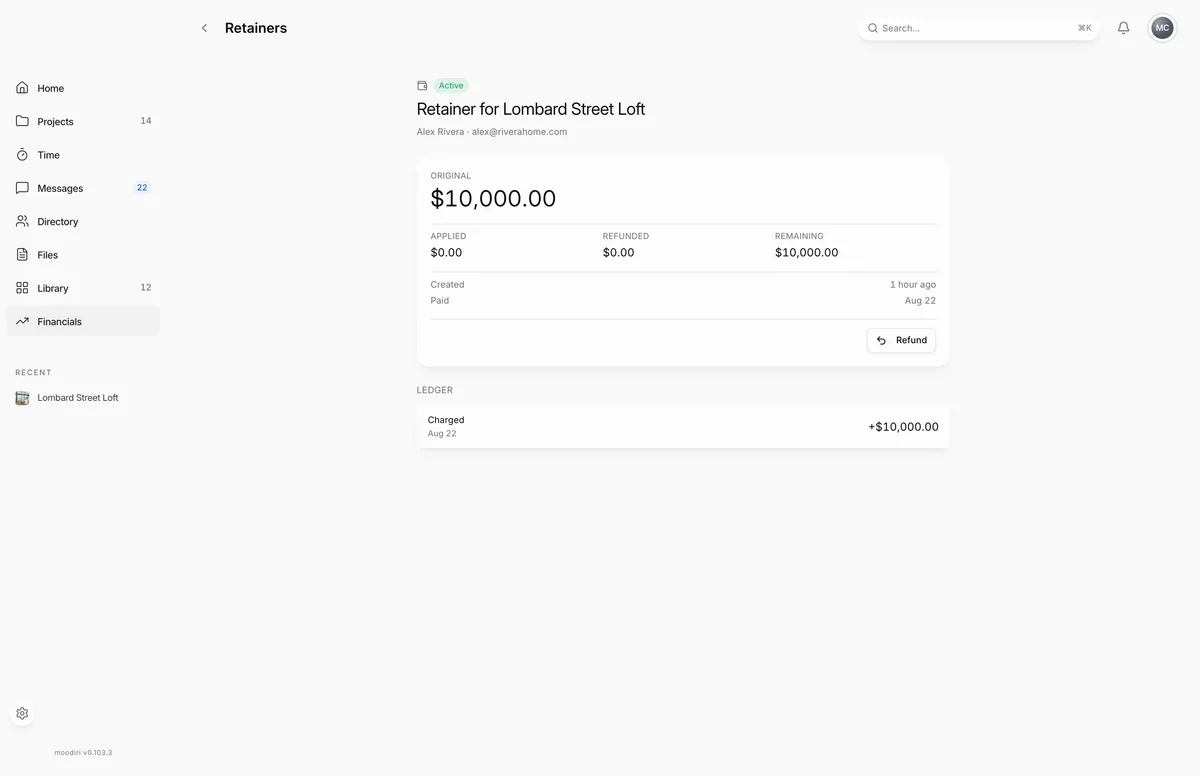
- Open Retainers and choose the retainer, for example the Lombard Street Loft retainer.
- If it is Awaiting payment, choose Cancel retainer and confirm. The payment link stops working.
- If it is Active, choose Refund to return some or all of the money.
- Enter the Amount, up to the maximum shown, here $2,500 of $10,000.00 available.
- Pick a Reason, here Scope reduced. Other asks for a short explanation.
- Choose Refund with the amount. It changes to Confirm refund; choose it again to send the money.
What happens next
- Cancel: the retainer shows Cancelled and its payment link no longer works. Stripe may take a few minutes to finish the cancellation; the page says so while it does.
- Refund: the refund is listed on the retainer with its status, starting at Processing, and the Refunded and Remaining amounts update.
Limits
Limits
- Cancel is offered only while the retainer is awaiting payment.
- You cannot refund more than the amount available on the retainer.
- Refunds cannot be undone.
Troubleshooting
- Your Stripe Connect account doesn't have enough balance for this refund. Top up from the Stripe Dashboard or wait for incoming charges to settle, then retry.
Questions
Can I refund a retainer my client has not paid?
There is nothing to refund yet. Cancel it instead, so the payment link stops working.
Where does the refund go?
Back to your client's original payment method, through Stripe.
The refund failed for lack of balance. What now?
Your Stripe account needs enough balance to cover it. Top up from the Stripe Dashboard or wait for incoming payments to settle, then try again.
Next
RetainersFinancialsRefunds paid back to clientsInvoicing and paymentsRequest a retainer from a projectFinancials
Was this page helpful?
Thanks, noted.