Approvals · Approval details
Delete an approval
Archive an approval request you no longer need. It leaves the list and your client's portal but is kept for reference.
Why use it
Abandoned drafts and duplicate requests clutter your list and can confuse a client who sees them in the portal. Archiving takes a request out of sight without losing the record of what was asked.
When to use it
- A draft you won't send. You started a request for an item that was dropped.
- A duplicate. The same decision was sent twice.
- A dead end. The decision no longer applies and you don't want it in the portal.
To stop answers but keep the request visible, close it instead. See Approval details.
Before you start
- Open the project's Approvals list, choose the request and choose Open full screen.
- To also delete a product the request created, you need to be the owner or an admin.
Steps
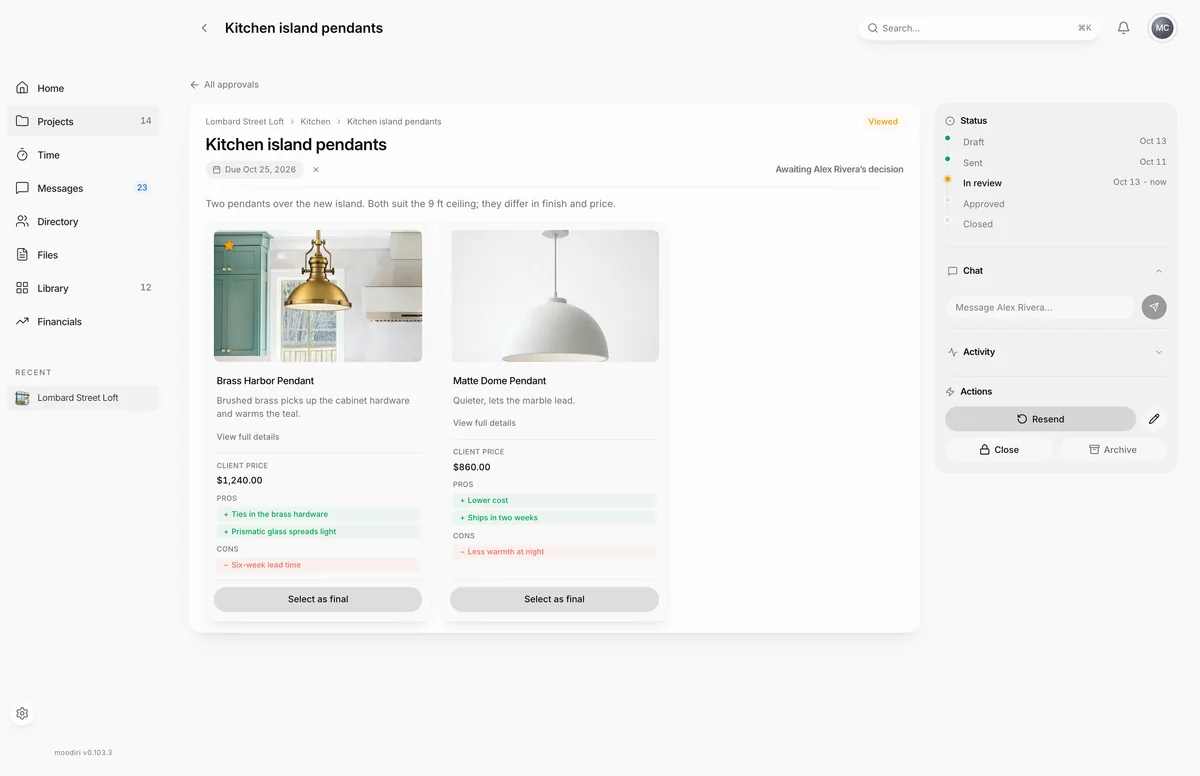
- Open the request, such as Kitchen island pendants, and find Actions in the panel on the right.
- Choose Archive. Moodiri checks whether the request created a product before it asks you to confirm.
- Read the confirmation and choose Archive. The request leaves your list and your client's portal but is kept for reference.
What happens next
- The request disappears from your approvals list and from your client's portal.
- Keep the product, archive the request leaves the product in its space.
- Delete both archives the request and deletes the product it created.
- If that product is on invoices, Moodiri lists them first. Remove anyway deletes the product but leaves those invoices as they are; Keep the product cancels.
Limits
Limits
- Archiving keeps the request for reference; it doesn't permanently delete it.
- Deleting the product a request created needs the owner or an admin.
- An accepted family proposal can't be archived. Its record of the change is kept.
Questions
Is the request gone for good?
It is hidden from your approvals list and from your client's portal, but Moodiri keeps it for reference.
Should I close or archive?
Close a request to stop answers but keep it on the list as a record. Archive it when it shouldn't appear at all, such as a draft made by mistake. See Lock (close) and reopen a request.
Next
Was this page helpful?
Thanks, noted.