Invite a client to the portal
Email your client a link to their project portal, or resend it if they can't find the first one.
Why use it
The client portal is where your client reviews approvals, sees their selections, pays invoices and chats with you. They can only get in once you invite them. Inviting from the project makes sure they land on the right project, branded with your firm's name.
When to use it
- Kick-off. Invite the client as soon as the project is set up, so the first approval or retainer request is waiting for them.
- A co-client joins. Invite each person separately so each has their own sign-in.
- "I can't find the email." Choose Resend invite.
To take access away, see Revoke a client's portal access.
Before you start
- You need to be the owner or an admin.
- The client must be on the project and have an email address. Add the email from their client record if it is missing.
Steps
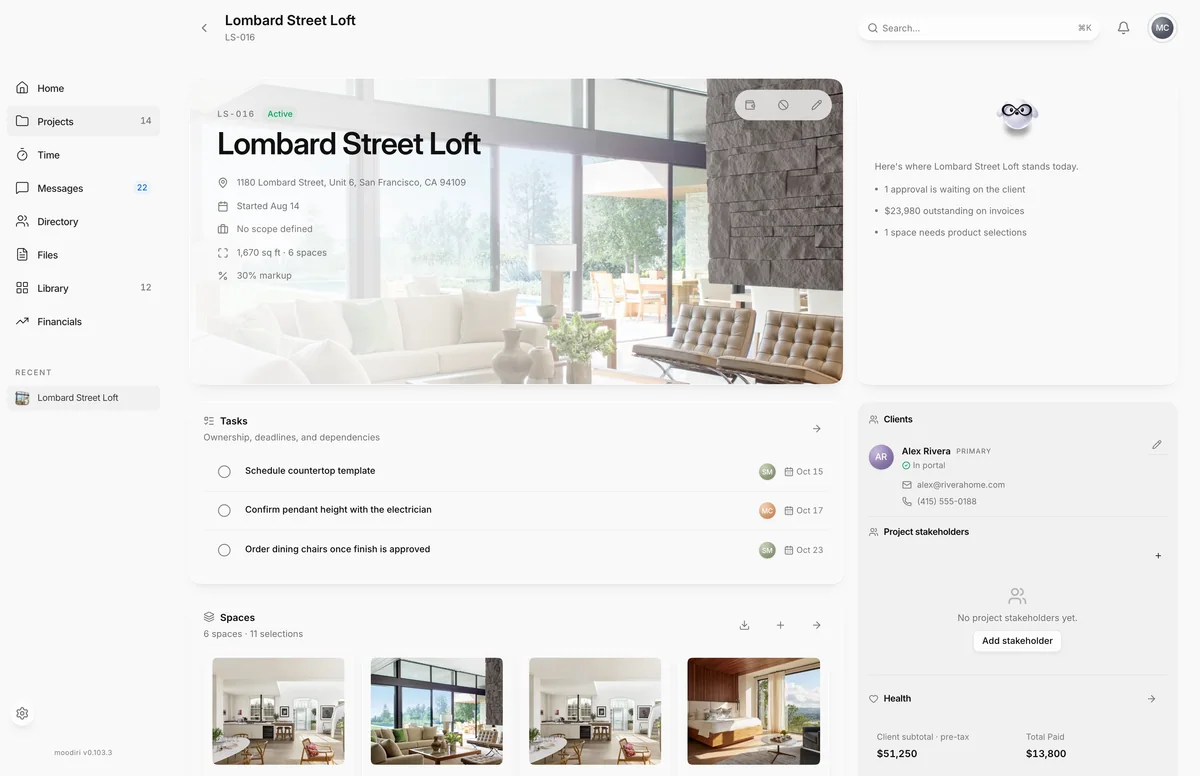
- On the project overview, choose Manage clients next to Clients.
- Find the client. Their status reads No portal access, Invite sent or In portal.
- Choose Send invite, or Resend invite if they were invited before.
What happens next
- Your client gets an email from your firm with a View your project button that opens the portal for this project.
- Their status changes to Invite sent, and to In portal once they sign in.
- Replies to the email go to the project's client-facing contact.
- To see the client's side, read Signing in to your portal.
Limits
- Send invite is unavailable until the client has an email address.
Troubleshooting
- This client has no email address. Add one before inviting them to the portal.: add an email to the client's record, then try again.
Questions
What does my client receive?
An email from your firm saying you invited them to view their project, with a View your project button. Replies go to the project's client-facing contact.
What does Resend invite do?
It sends the invite email again, with a link to the same project portal. Ask your client to use the newest email.
Can I invite a client right after creating a project?
Yes. When the client has an email, the project wizard offers Send invite as soon as the project is created.