Create and edit a note
Write a team or private note on a project, with headings, checklists, photos and website links, and edit it any time.
Why use it
Meeting notes in a personal notebook or email draft disappear when you need them. A project note keeps what was agreed, measured or promised on the project itself, with photos and links, where everyone on the team can find it.
When to use it
- After a site visit or client meeting. Capture measurements, decisions and photos while they are fresh.
- Working lists. A checklist of what to source, chase or confirm.
- Private reminders. Use a private note for thoughts you are not ready to share.
For a conversation with your client, use project chat instead. For work with an owner and a deadline, add a task.
Before you start
- You need to be the owner or an admin to create and edit notes. Members can read team notes.
- Open the project from Projects.
Steps
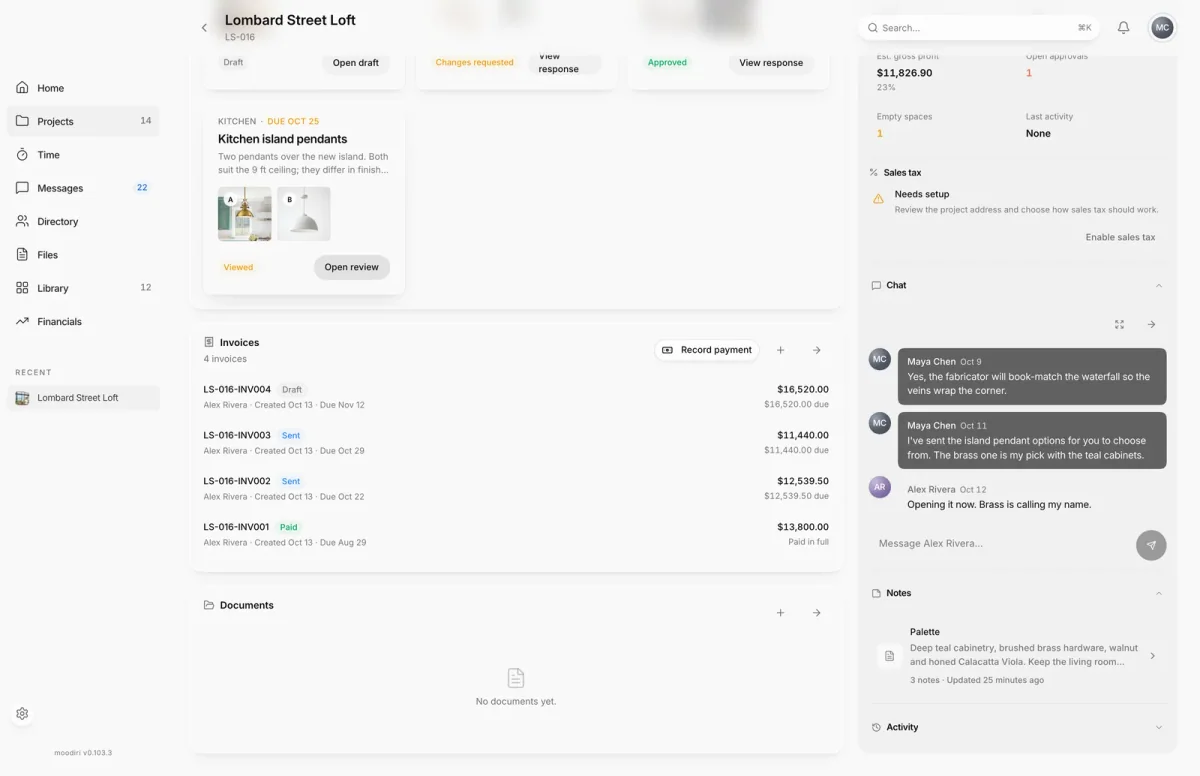
- 1Open project notes
- On the project overview, choose Open project notes in the Notes section.
- Choose New note, the + at the top of the note list.
- Choose Team note to share it with your team, or Private note to keep it to yourself.
- Give the note a title, for example Palette and finishes, and write in the body. To change a note later, open it and choose Edit note.
- Use the toolbar for headings, lists and checklists, Add link for a website, and Attach image for photos.
- Choose Save. Cancel leaves the note as it was.
What happens next
- The note appears in the Project notes list and in the Notes section of the overview.
- A team note is visible to your team. A private note can only be opened by you.
- Every save is kept in History, so you can compare and restore earlier versions. See Version history.
- If you leave with unsaved changes, Moodiri asks Save changes before leaving? Choose Save, Discard changes or Keep editing.
Limits
- Members can open notes, but only the owner and admins see New note and can edit.
- Images can be JPEG, PNG, WebP or GIF, up to 10 MB each, and up to 100 per note.
- Website previews need an https:// link.
Troubleshooting
- Images in notes must be 10 MB or smaller.: resize the photo or choose a smaller one.
- This note already has the maximum of 100 images.: start a new note for more photos, or remove some.
- Website previews require an https:// link.: use the https:// version of the address.
Questions
I started a note and changed my mind. What happens to it?
If you discard a new, empty note, Moodiri moves it to Trash, where you can delete it for good.
Someone else edited the note while I was writing. What now?
Moodiri won't overwrite their changes. You see This note changed in another window; close editing, reopen the note and make your change again.
Can I make a team note private later?
Yes, if you created it. Choose Team or Private on the open note and pick the other option.