Clients, vendors and directory · Vendors
Add a vendor
Add a supplier with its category, price range, contact and showroom details, and your trade account number and notes.
Why use it
When an order goes wrong, you need the account number, the rep and the terms fast, not buried in an old email. A vendor record keeps them with the products you specify from that vendor.
When to use it
- A new supplier. Before you specify their first product, so it links to the right vendor.
- Opening a trade account. Record the account number and terms the day you get them.
Capturing a product with the Chrome extension can also create the vendor for you from the product's website.
Before you start
- Only the owner and admins can add vendors.
- Open Directory from the sidebar and choose Vendors.
Steps
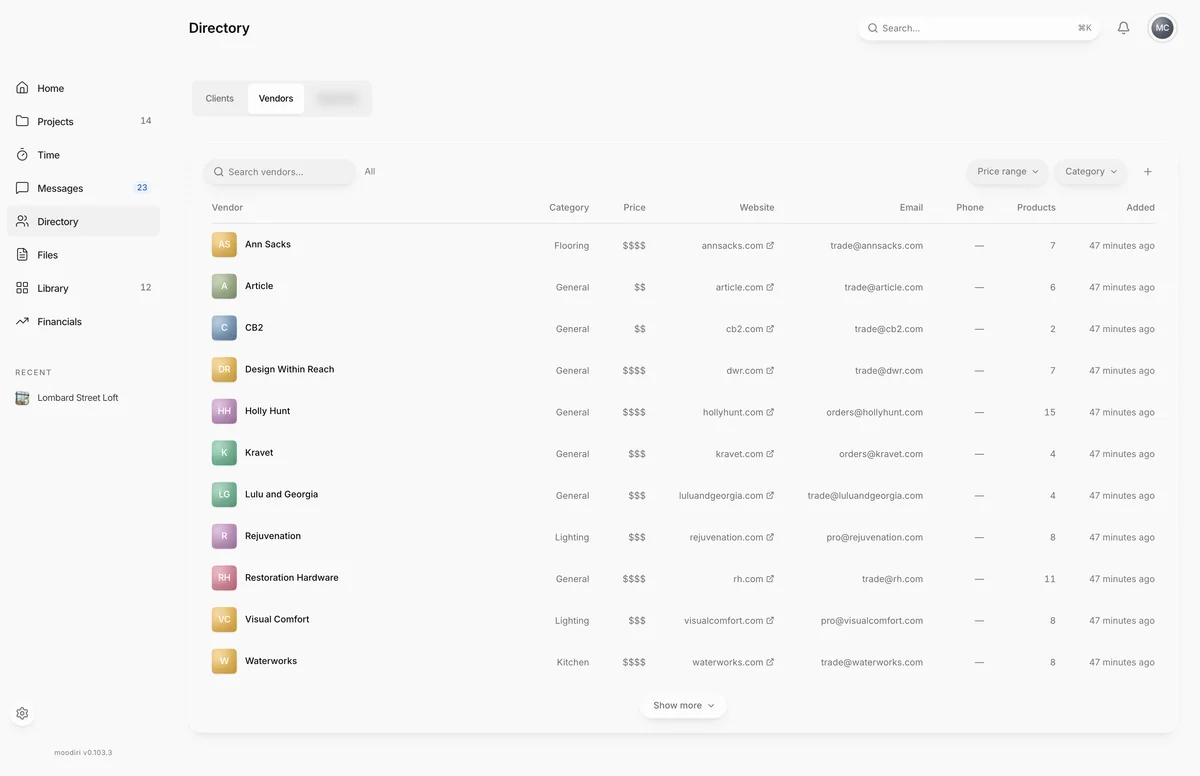
- In Directory, on Vendors, choose Add vendor.
- Enter the Vendor name, for example Arteriors. It is the only required field.
- Choose Next, then pick a Category such as Lighting, or choose Skip these.
- Pick a Price range from $ to $$ so your team knows where the vendor sits.
- Choose Next, then add the Email, Phone, Website and showroom address, or Add contact info later.
- Choose Review, then add your Trade account number with this vendor.
- Use Trade notes for terms, for example 20% off list, Net 30.
- Choose Add vendor. The vendor appears in Vendors, ready to pick on products.
What happens next
- You see that the vendor has been added, and it appears in the Vendors list.
- Pick it as the vendor on products. Its page then shows the linked products and projects.
- To add a sales rep, a showroom address or a trade discount percentage, edit the vendor.
Limits
Limits
- The vendor name is required, up to 200 characters.
- The steps capture trade details. Sales rep fields are on the vendor edit form.
- Trade account number is up to 100 characters and Trade notes up to 2,000.
Questions
Where do I add the sales rep?
After creating the vendor, open it and choose Edit vendor. The Sales rep fields are in that form.
Where do I set the trade discount percentage?
In Edit vendor, under Trade discount. See Trade discounts.
Next
Vendor pageClients, vendors and directoryEdit or delete a vendorClients, vendors and directoryVendorsClients, vendors and directory
Was this page helpful?
Thanks, noted.